
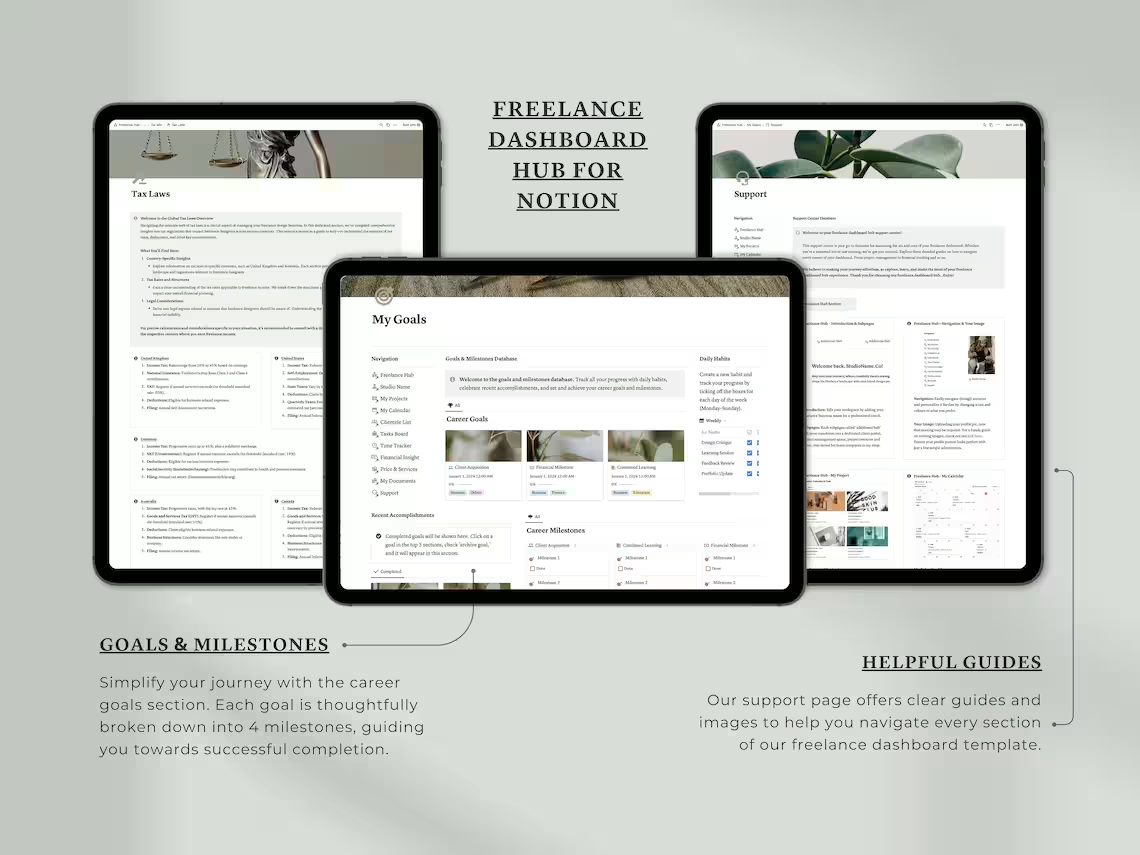
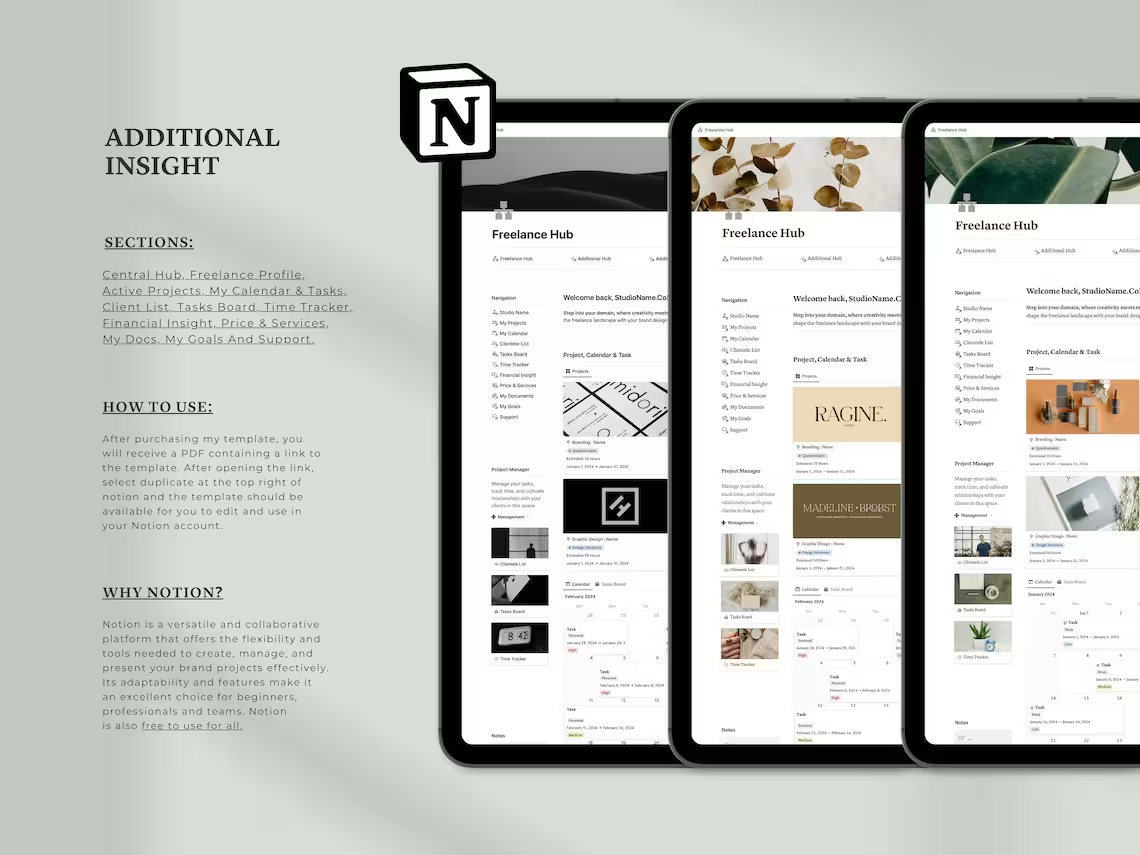
Notion Freelance Dashboard Hub | All-in-One Business Management Template
Run your entire freelance business from one place. This Notion Freelance Dashboard Hub covers project management, client tracking, time tracking, invoicing, goal setting & more — built for designers, developers, copywriters & all freelancers. Works on Notion’s free plan. Instant digital download.
Notion Freelance Dashboard Hub | Professional Notion Template | Your Branding Headquarters
Original price was: $23.00.$9.00Current price is: $9.00.
Product Details
You became a freelancer for freedom. But somewhere between chasing invoices, juggling client emails, tracking project deadlines, and trying to hit your income goals — it stopped feeling free.
Sound familiar?
The Notion Freelance Dashboard Hub was built for exactly this moment. It’s a complete, all-in-one business management system designed specifically for freelancers — bringing every single part of your workflow into one clean, connected Notion workspace.
No more switching between apps. No more lost client details. No more guessing where your money went. Just one powerful hub that runs your entire freelance business — so you can focus on the work you actually love.
💼 Stop Running Your Freelance Business From Five Different Apps
Whether you’re a brand designer, web developer, copywriter, social media manager, marketing consultant, or any kind of creative professional — this dashboard was made for you.
🌟 PERFECT FOR
- Freelance graphic designers, brand designers & creative directors
- Web developers & UI/UX designers
- Copywriters, content creators & marketing professionals
- Social media managers & digital strategists
- Consultants, coaches & solopreneurs
- Small business owners managing client-based work
- Beginners building their first freelance business system
- Experienced freelancers ready to scale and systemize
💡 WHY THIS DASHBOARD STANDS OUT
✅ Built specifically for freelancers — not a generic productivity template, but a real business system
✅ 12 fully integrated sections — everything connects and works together seamlessly
✅ Works on Notion’s FREE plan — no paid subscription required
✅ Automated time tracking — clock in/out with automatic earnings calculation
✅ Complete financial management — invoices, expenses, income, and taxes in one place
✅ Fully customizable — adapt every section to your industry, workflow, and brand
✅ Desktop & mobile ready — manage your business from anywhere via the Notion app
✅ One-time purchase, lifetime access — use it forever across every client and project
🗂️ WHAT’S INSIDE: 12 POWERFUL SECTIONS
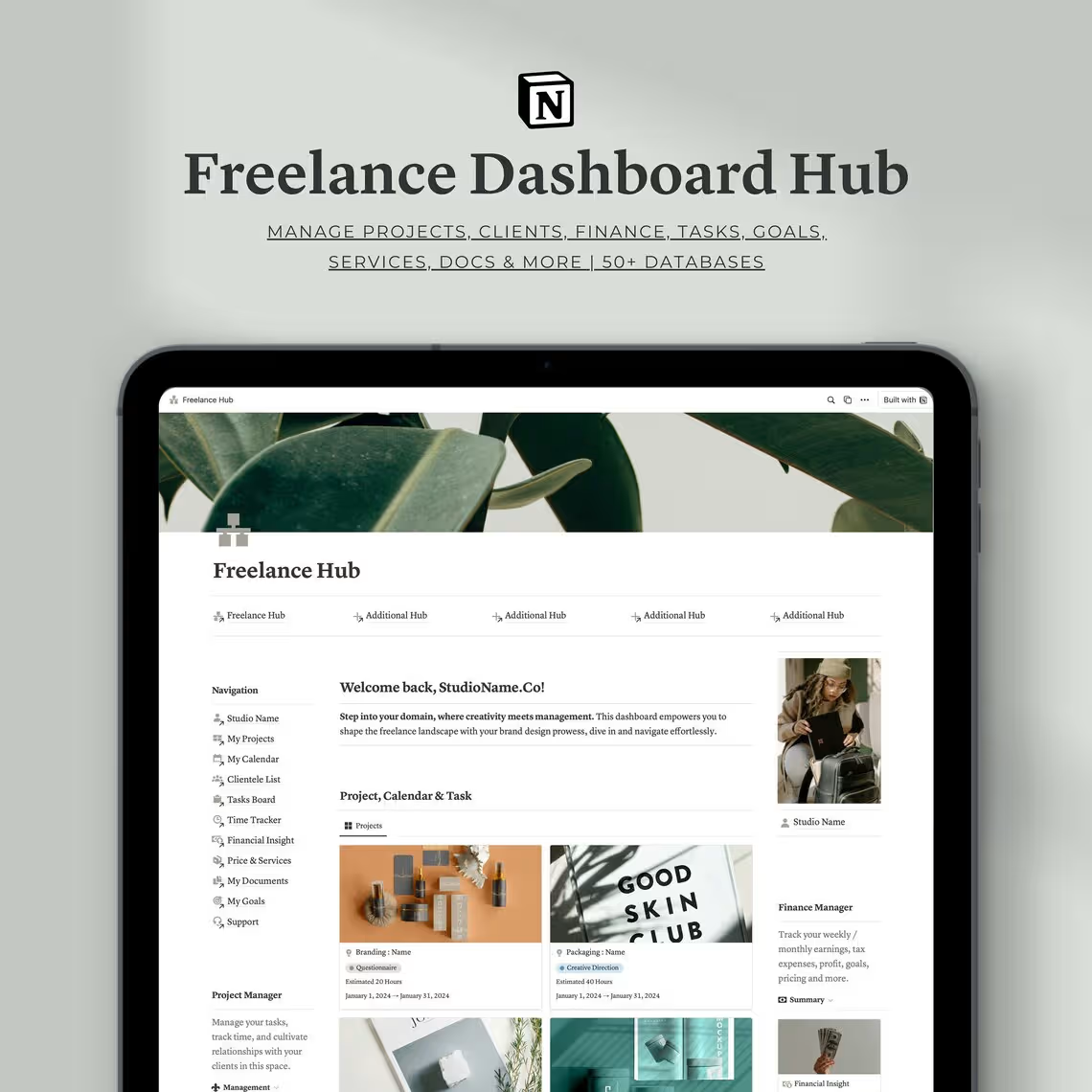
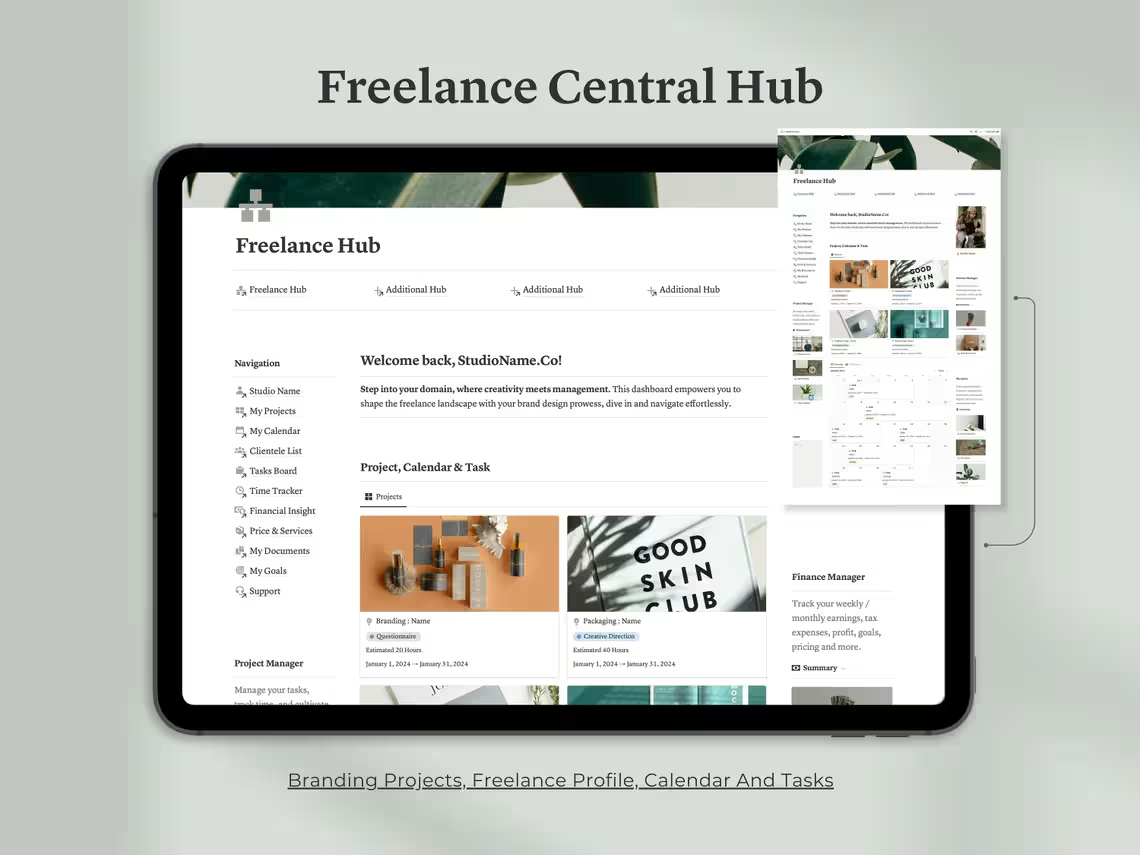
🏠 Section 1: Dashboard Central Hub
Your freelance command center. The moment you open your workspace, everything you need is right in front of you — organized, clear, and ready to go.
Inside you’ll find:
- Profile Overview — A snapshot of who you are and what you do, right at the top of your workspace
- Active Projects Panel — See all your live projects at a glance, with status updates and key details
- Notes Section — Capture quick ideas, client call notes, and important reminders instantly
- Calendar View — A full overview of your schedule, deadlines, and upcoming commitments
- Task Board — A dynamic board to manage your most pressing tasks across all active projects
This is the first thing you see every day — and it sets you up to hit the ground running.
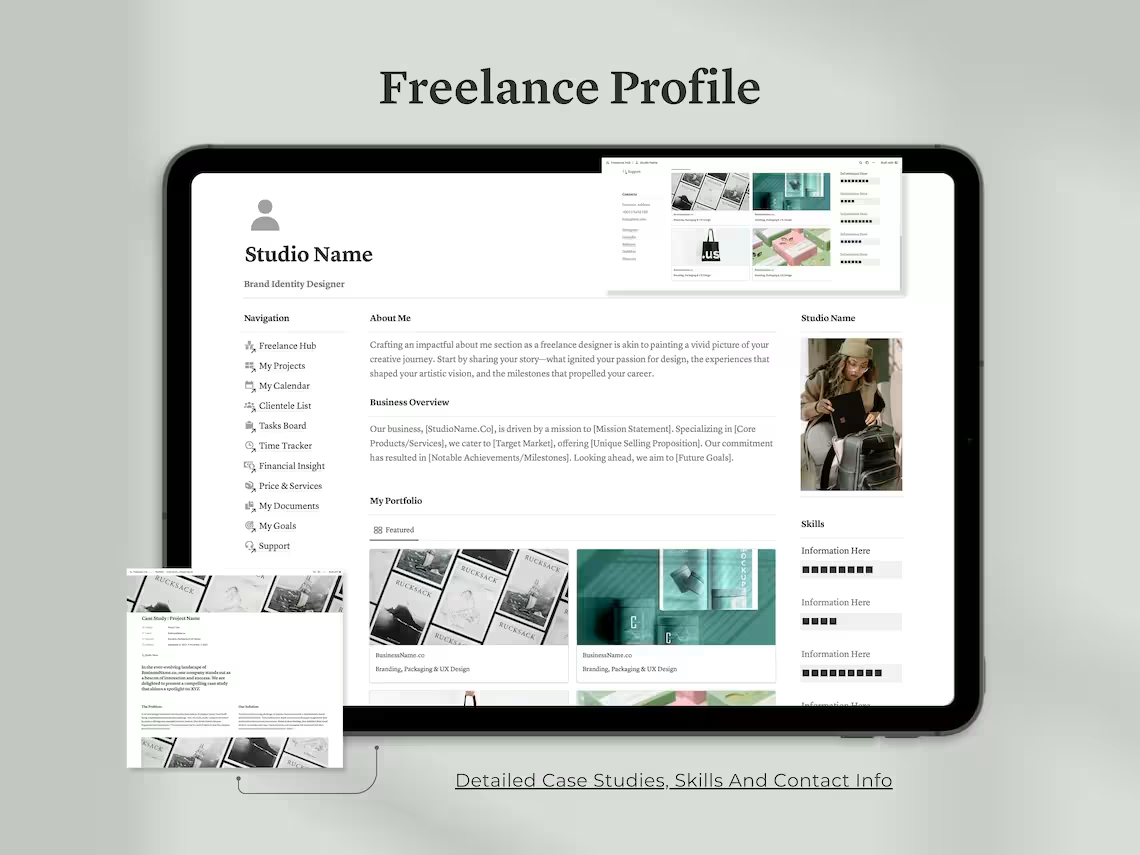
👤 Section 2: Freelance Profile
Your personal brand lives here. The Freelance Profile section is your internal portfolio and business overview — a space that keeps your professional identity sharp and organized.
Inside you’ll find:
- About Me — Your personal story, background, and what makes you unique as a creative professional
- Business Overview — A clear summary of your freelance offering and areas of expertise
- Skills & Services — A structured list of everything you bring to the table
- Portfolio — Showcase your best work and keep your case studies organized in one place
- Contact Information — All your professional contact details, social links, and business info in one spot
A professional foundation that keeps you focused on your brand and value.
📁 Section 3: Active Projects
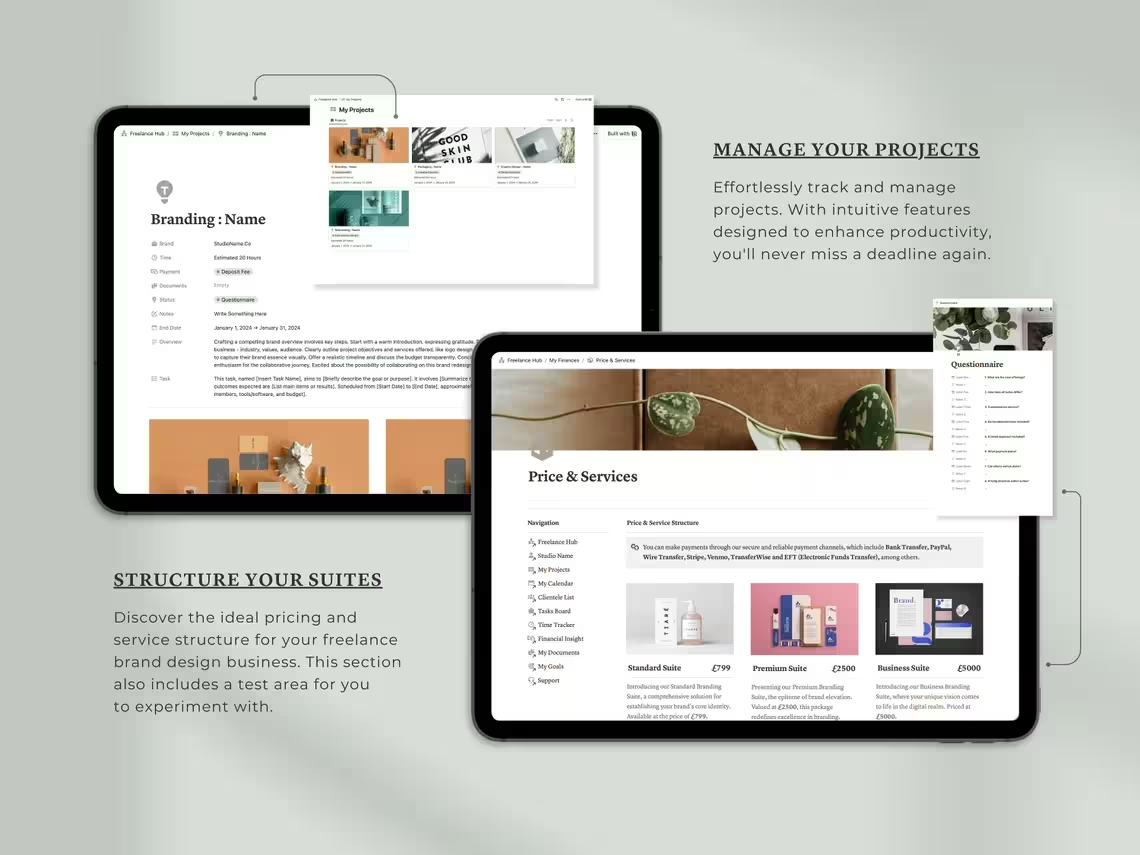
Managing multiple clients at once? This section gives you four dedicated project workspaces — each fully equipped to handle every aspect of an active client engagement.
Inside you’ll find:
- Four independent project workspaces for your current active clients
- Progress tracking for each project phase and deliverable
- Collaboration notes and client communication logs
- Task lists and deadlines specific to each project
- Status indicators so you always know exactly where each project stands
Never lose track of a deliverable or miss a deadline again.
📅 Section 4: My Calendar & Tasks
Time is your most valuable resource as a freelancer. This section gives you a fully synced calendar and task management system that keeps everything on track — across all your projects simultaneously.
Inside you’ll find:
- Synced Calendar — Schedule meetings, deadlines, and project milestones in one unified view
- Task Board — A dynamic, cross-project task manager that keeps your daily priorities crystal clear
- Seamless sync between your calendar and task list so nothing ever slips through the cracks
- Ability to view tasks by day, week, or month depending on your planning style
Plan your time intentionally and protect your most productive hours.
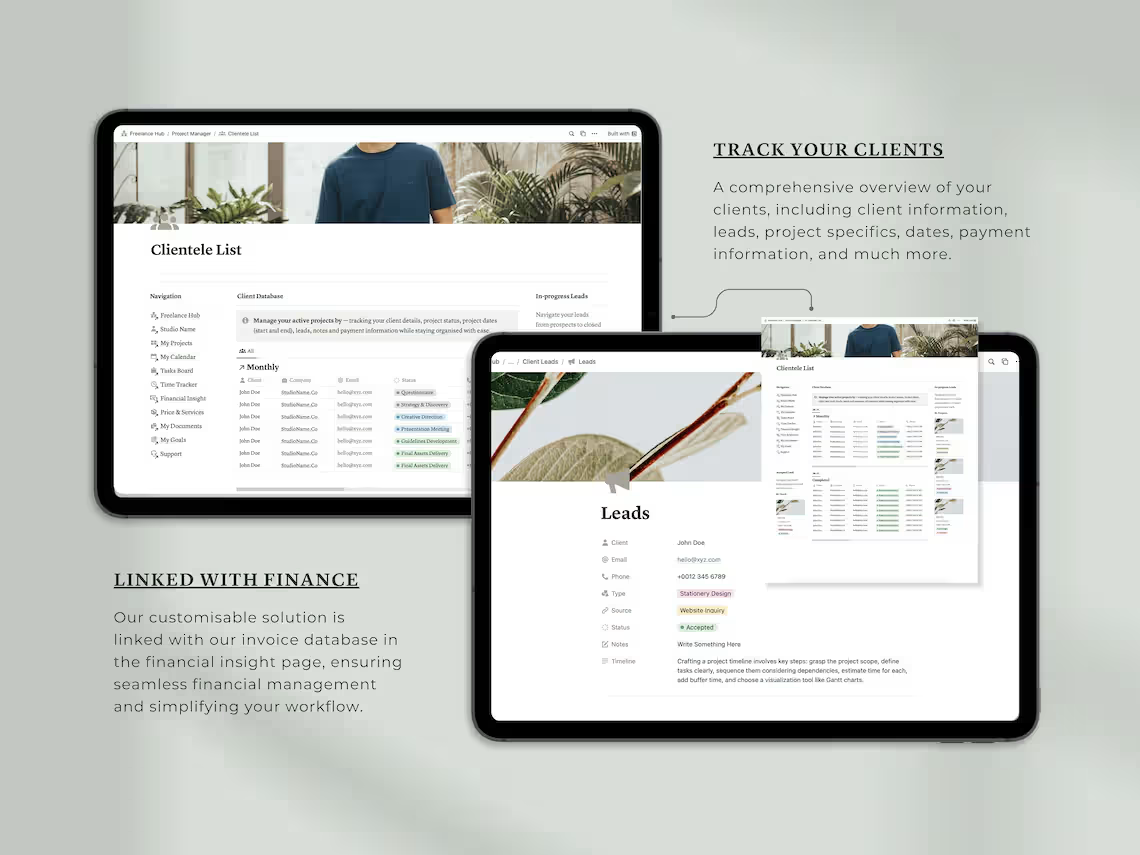
👥 Section 5: Clientele List
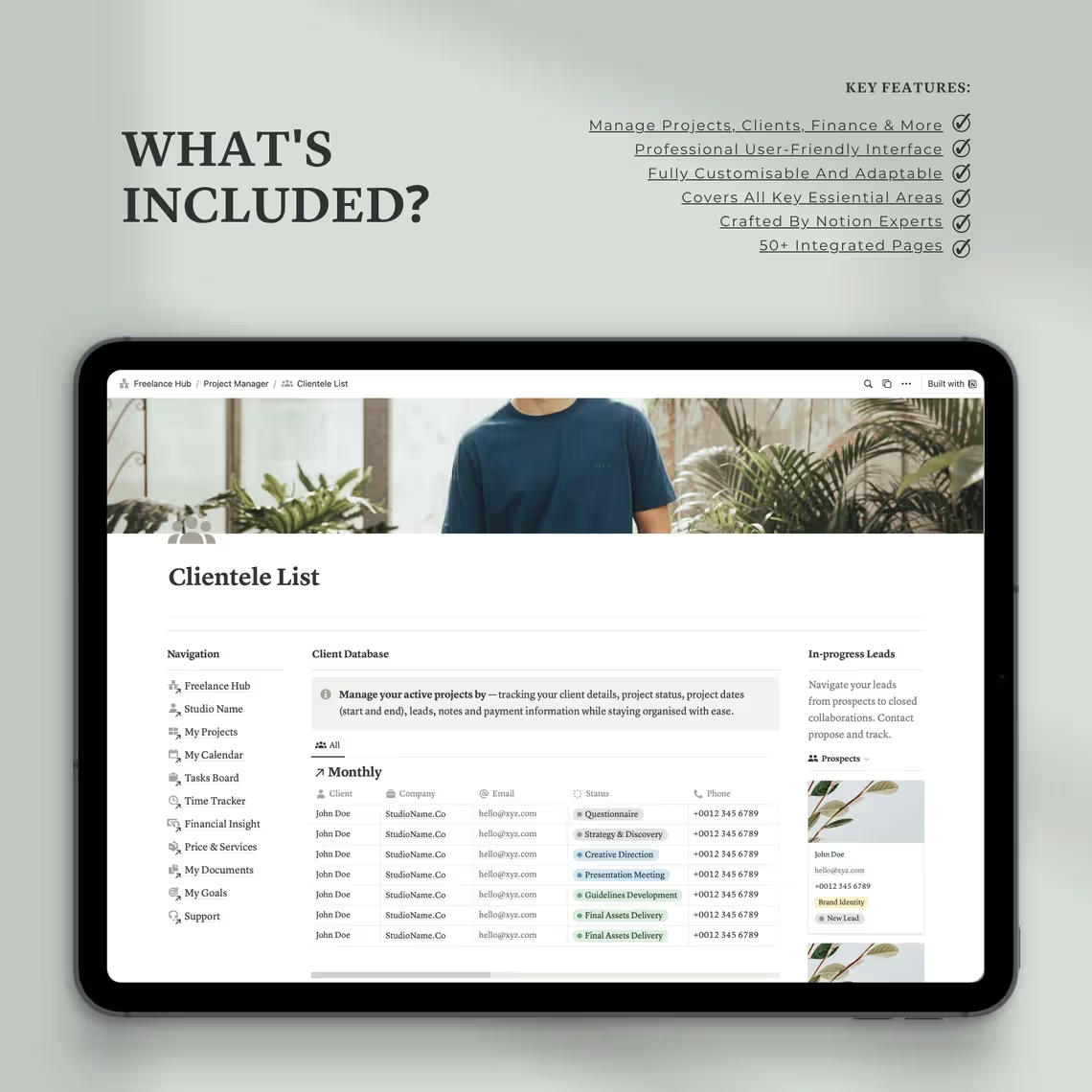
Your client relationships are the lifeblood of your freelance business. The Clientele List section gives you a comprehensive CRM-style database to manage every client interaction with professionalism and clarity.
Inside you’ll find:
- Complete client profiles with contact details, project history, and notes
- Lead tracking to manage potential new clients through your pipeline
- Project status monitoring for every active and past client engagement
- Interaction logs to keep track of emails, calls, and meetings
- At-a-glance overview of your entire client base and business relationships
Never forget a client detail or miss a follow-up again.
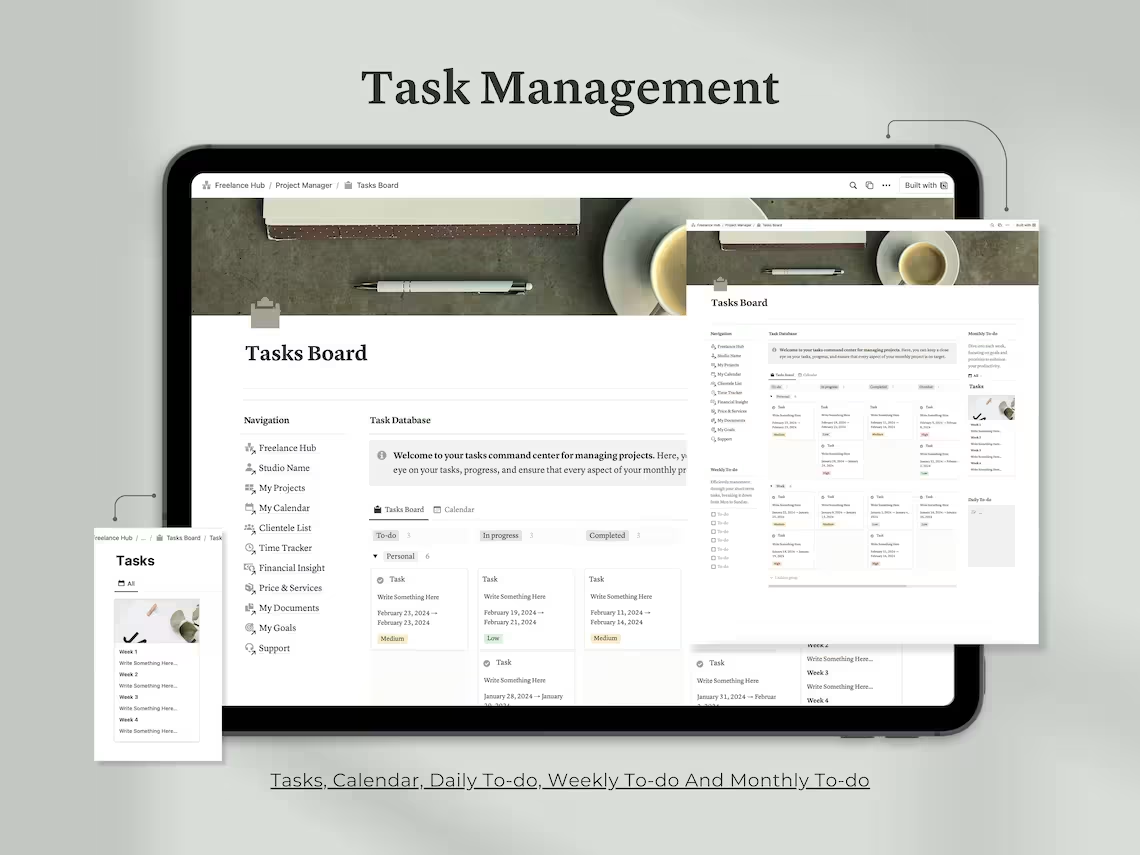
✅ Section 6: Tasks Board
Beyond project-specific tasks, this dedicated Tasks Board gives you a bird’s-eye view of everything on your plate — organized by timeframe and priority so you always know what needs your attention right now.
Inside you’ll find:
- Daily To-Do Lists — Start every day knowing exactly what needs to get done
- Weekly Task Board — Plan your week in advance and stay ahead of deadlines
- Monthly Overview — Keep your bigger picture goals and commitments visible
- Priority tagging to distinguish urgent tasks from important but non-urgent ones
- A clean, distraction-free layout that keeps you focused and productive
Your ultimate tool for staying on top of a busy freelance workload.
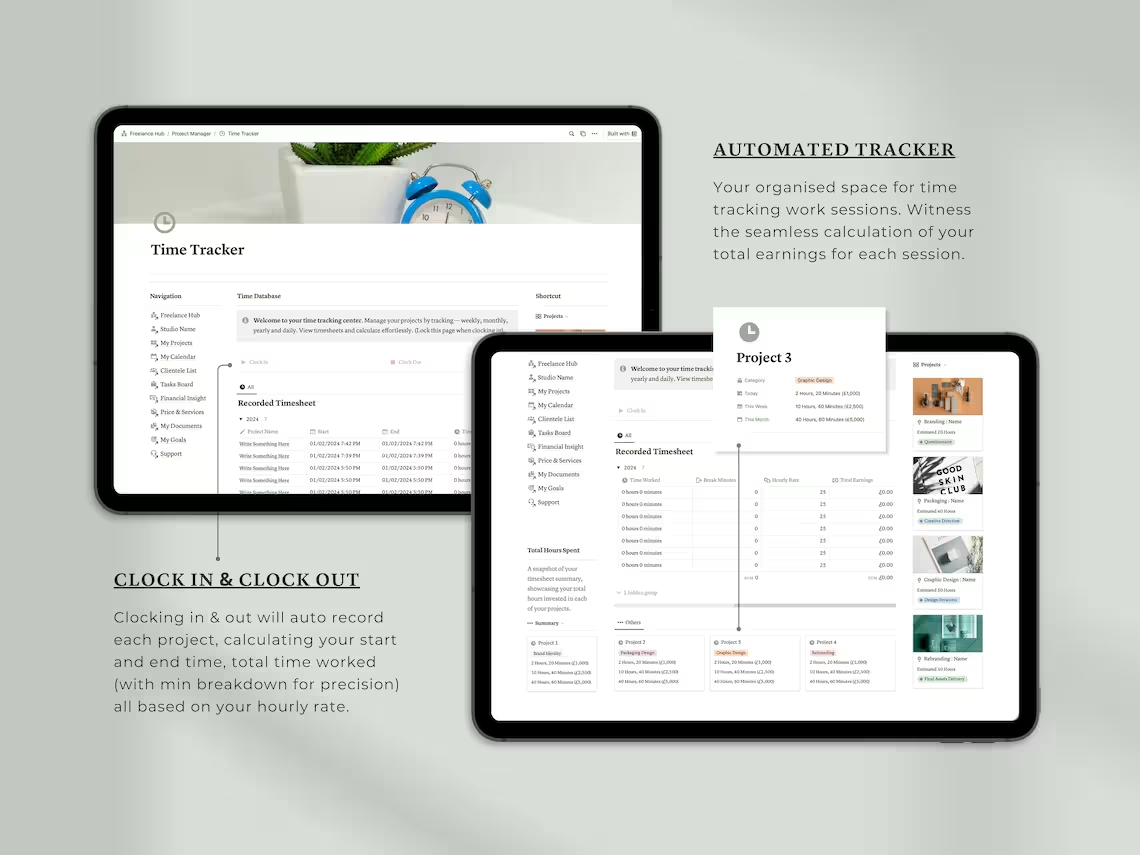
⏱️ Section 7: Time Tracker
Time is money — especially when you charge by the hour. The Time Tracker section gives you an automated, accurate system for logging every minute you work and calculating exactly what you’ve earned.
Inside you’ll find:
- Clock In / Clock Out — Log your working hours with a simple, automated time entry system
- Hourly Rate Calculator — Automatically calculate earnings based on your set hourly rate
- Project Hour Tracking — See exactly how many hours you’ve invested in each client and project
- Detailed time logs to support accurate invoicing and client billing
- Insights into where your time is going so you can work smarter and more profitably
Know your worth — and make sure you’re getting paid every minute of it.
💰 Section 8: Financial Insight
One of the biggest challenges for freelancers is staying on top of finances. The Financial Insight section gives you a complete money management system — so you always know where you stand financially.
Inside you’ll find:
- Invoice Tracker — Log, monitor, and follow up on all client invoices in one place
- Expense Tracker — Record and categorize all business expenses to maximize deductions
- Income & Profit Monitor — Track your earnings over time and see your real profitability
- Tax Overview — Set aside the right amount for taxes and never get caught off guard at tax time
- Financial summaries to help you understand your business performance month by month
Take the stress out of freelance finances and run your business with complete clarity.
💎 Section 9: Pricing & Services
Knowing what to charge and how to package your services is one of the most powerful things you can do for your freelance business. This section helps you define, organize, and confidently present your offerings.
Inside you’ll find:
- Service Menu — A fully customizable list of all your services and deliverables
- Pricing Structure — Document your rates, packages, and pricing tiers in one organized space
- Branding Suite Options — Pre-built service package templates tailored for creative professionals
- Payment Structure Notes — Define your deposit requirements, payment milestones, and terms
- Easy to update whenever you raise your rates or add new services
Stop undercharging. Start presenting your value with confidence.
📂 Section 10: My Documents
No more hunting through email attachments or cloud storage folders. The Documents section gives you a centralized home for every resource, file, and reference you need to run your business.
Inside you’ll find:
- Centralized document storage for contracts, briefs, proposals, and client files
- Online resource library for tutorials, guides, and reference materials
- Quick-access links to your most important business documents
- Organized folders by project, client, or document type
- Support resources to help you get the most out of your dashboard
Everything in one place — always exactly where you left it.
🎯 Section 11: My Goals
Freelancing without goals is just busy work. The Goals section gives you a structured, motivating space to set meaningful targets, track your progress, and build the daily habits that compound into long-term success.
Inside you’ll find:
- Goal Setting Framework — Define short-term and long-term business and personal goals
- Milestone Tracking — Break big goals into achievable milestones and celebrate progress along the way
- Daily Habits Tracker — Build the routines that keep you consistent, healthy, and productive
- Visual progress indicators to keep you motivated and accountable
- Space to reflect on your growth and adjust your direction as your business evolves
Because the most successful freelancers don’t just work hard — they work with intention.
📖 Section 12: Support Page
New to Notion or to this dashboard? The Support Page has you covered. It’s a built-in help center with everything you need to get up and running quickly and confidently.
Inside you’ll find:
- Step-by-step guides for setting up and navigating your dashboard
- Visual aids and walkthroughs for every major section
- Tips for customizing the template to fit your unique business needs
- Best practices for getting the most value out of every feature
- Ongoing support resources so you never feel stuck
You’re never left figuring it out alone.
📦 WHAT YOU’LL RECEIVE
Upon purchase you will receive 1 PDF file containing a direct link to your Notion template. Open the link, click Duplicate in the top right corner of Notion, and the full dashboard will be saved instantly to your workspace.
⚠️ Important: Your Freelance Dashboard Hub arrives fully locked. You must unlock the template before editing. Full instructions are included inside your PDF.
📌 This is a digital product. No physical item will be shipped. All sales are final.
🙋 FREQUENTLY ASKED QUESTIONS
Do I need a paid Notion account? No! This dashboard is fully compatible with Notion’s free plan.
Why is the template locked when I receive it? The template is locked to protect its structure during delivery. Simply follow the unlock instructions in your PDF before you start editing.
Can I use this for multiple clients and projects? Absolutely. The dashboard is designed to manage multiple active clients and projects simultaneously.
Is this suitable for my industry? Yes! It’s built for freelancers across all industries — designers, developers, copywriters, marketers, consultants, social media managers, photographers, and more.
Can I customize it to match my business? 100%. Once unlocked and duplicated, every section is fully editable to fit your workflow, branding, and business needs.
Is this a one-time purchase? Yes. Pay once and use it forever.
Your freelance business deserves a system as professional as the work you deliver.
✨ Add to cart and take control of your freelance business today.
Related products
-
Sale!
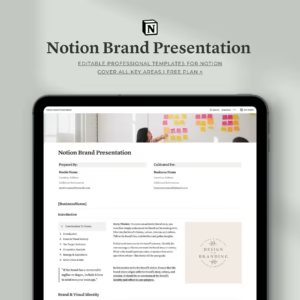
The Ultimate Notion Brand Presentation Template — Build. Present. Impress.
Original price was: $14.00.$7.00Current price is: $7.00. -
Sale!
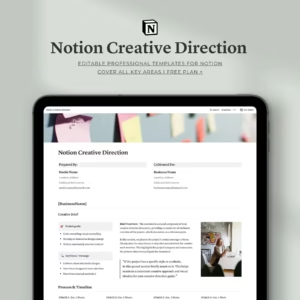
Notion Creative Direction Template | Complete Creative Project Planner
Original price was: $14.00.$7.00Current price is: $7.00. -
Sale!
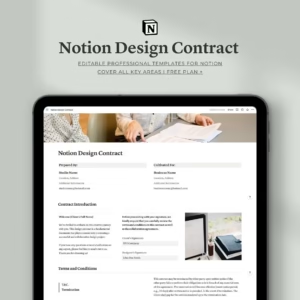
Notion Design Contract Template For Professionals
Original price was: $10.00.$5.00Current price is: $5.00. -
Sale!
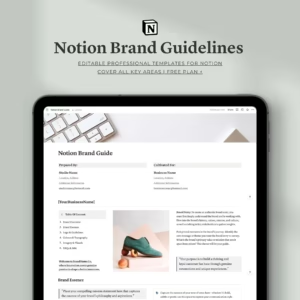
Notion Brand Guidelines Template | Complete Brand Identity Guide
Original price was: $14.00.$7.00Current price is: $7.00. -
Sale!
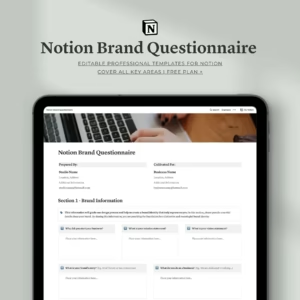
Notion Brand Questionnaire Template | Complete Brand Discovery Tools
Original price was: $10.00.$6.00Current price is: $6.00.
Reviews