
Notion Creative Direction Template | Complete Creative Project Planner
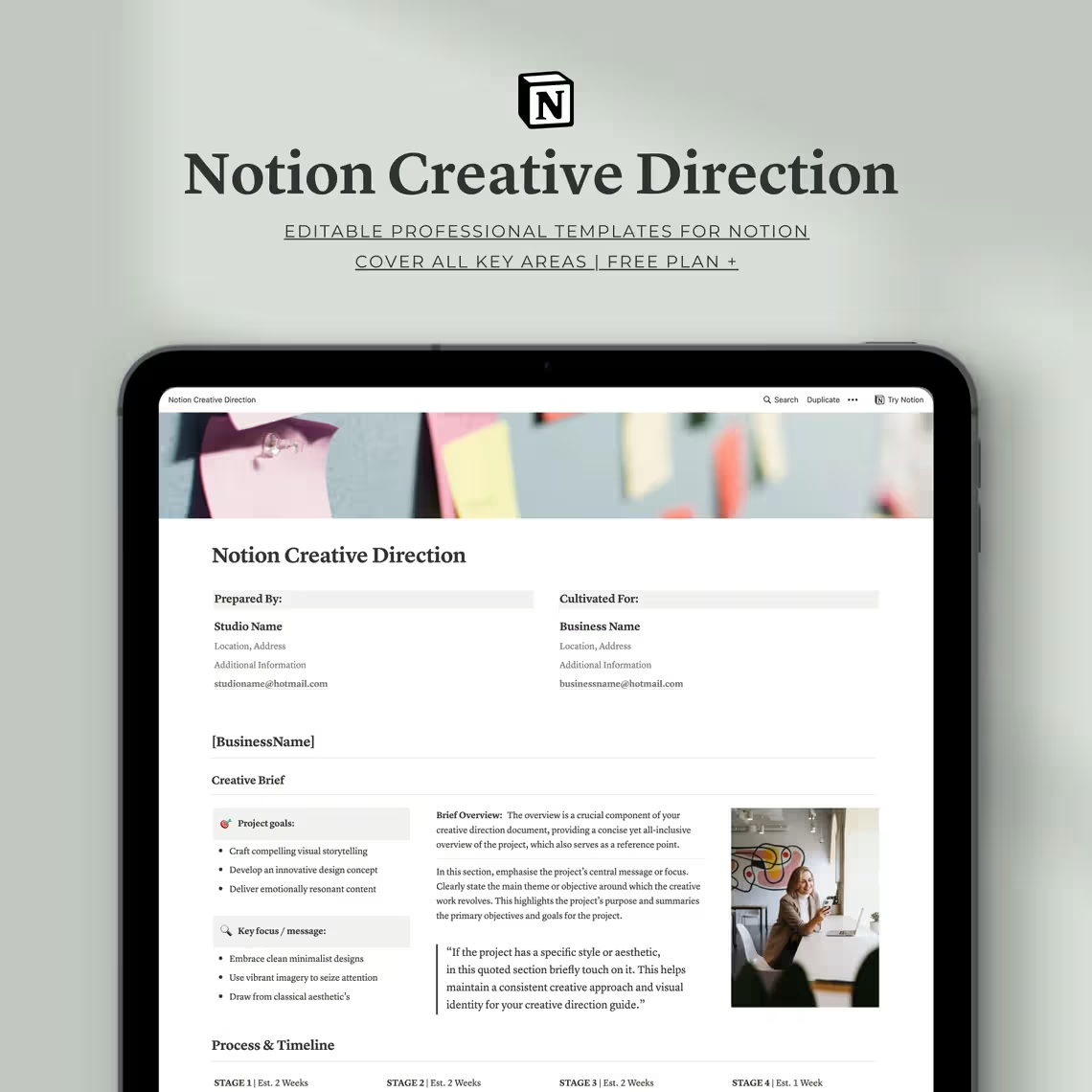
Plan, organize and execute your creative vision with this Notion Creative Direction Template. Covers project overview, audience personas, moodboards, timelines, guidelines & more — built for designers, agencies & creative professionals. Works on Notion’s free plan. Instant digital download.
Notion Creative Direction Template | Professional Notion Template | Unlock Your Creative Vision
Original price was: $14.00.$7.00Current price is: $7.00.
Product Details
🎨 Your Creative Vision Deserves More Than a Scattered Notes App
You have the ideas. You have the talent. But somewhere between the initial creative spark and the final delivered project — things get messy.
Briefs get misinterpreted. Creative decisions lose their direction. Clients ask “why did you go this way?” and you struggle to articulate the thinking behind your work. Timelines slip. Team members aren’t aligned. And the beautiful vision you had at the start gets diluted by the chaos of execution.
Sound familiar?
The Notion Creative Direction Template was built to solve exactly this problem.
This isn’t just another generic project management template. This is a purpose-built creative direction system — the exact same tool the creators use themselves on their own professional projects. It gives you a structured, comprehensive, and visually polished framework to plan every creative project from the very first idea all the way through to final delivery.
Whether you’re a solo designer, a creative agency, a brand strategist, or any kind of creative professional — this template gives you the clarity, structure, and confidence to bring your boldest creative visions to life with precision and flair.
Stop letting great ideas get lost in execution. Start directing your creativity with intention.
🌟 PERFECT FOR
- Freelance graphic designers and brand identity designers
- Creative agencies managing multiple client projects
- Brand strategists and creative directors
- Artists and illustrators working on commissioned projects
- Marketing professionals managing creative campaigns
- Web designers and digital creative teams
- Photography and videography professionals
- Any creative professional who wants to bring more structure, clarity, and professionalism to their projects
💡 WHY THIS TEMPLATE STANDS OUT
✅ Used by the creators themselves — a real, battle-tested tool from active creative professionals
✅ End-to-end creative management — from first brief to final delivery and beyond
✅ Structured yet flexible — a comprehensive framework that adapts to any creative discipline or project type
✅ Client-ready & presentation quality — polished enough to share directly with clients
✅ Collaborative — works seamlessly with teams via Notion’s built-in sharing features
✅ Works on Notion’s FREE plan — no paid subscription required
✅ Saves hours of formatting — focus on the creative work, not the admin
✅ Fully customizable — adapt every section to your unique process and brand
✅ One-time purchase, lifetime access — use it on every project forever
🗂️ WHAT’S INCLUDED: 9 ESSENTIAL SECTIONS
📋 Section 1: Project Overview
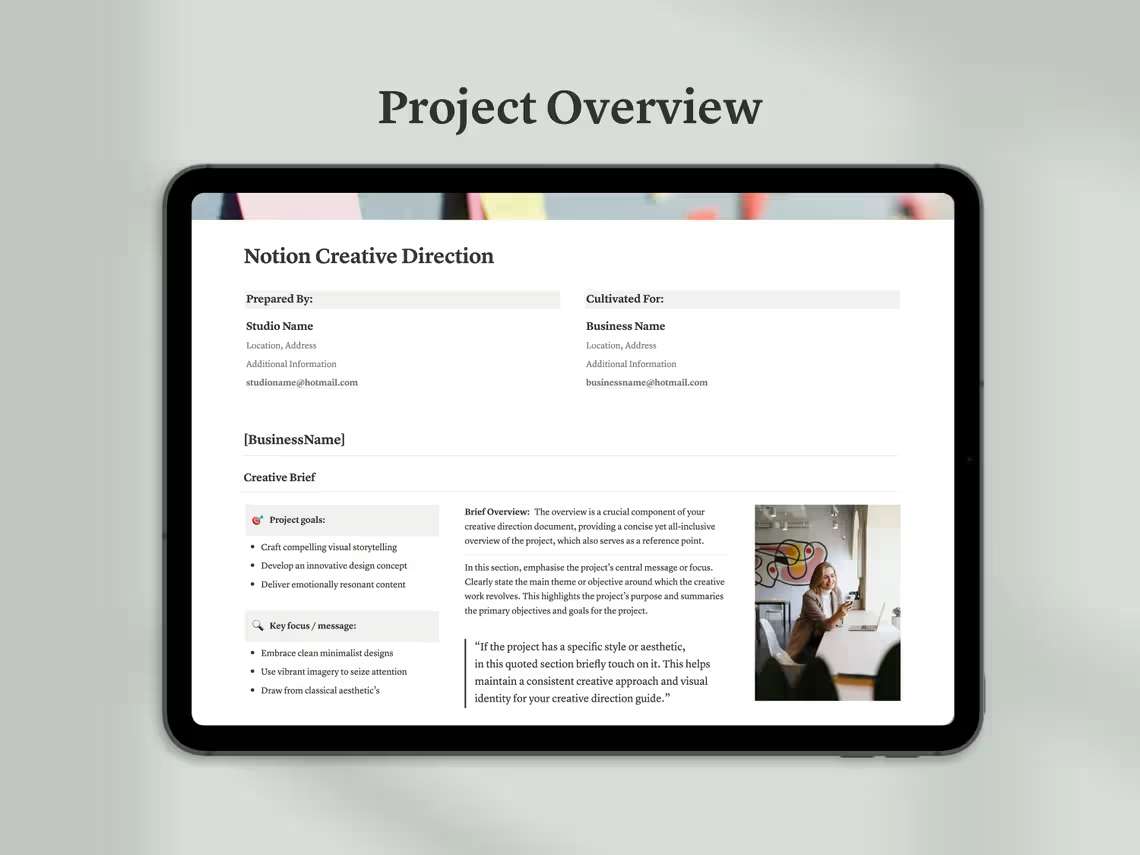
Every successful creative project begins with absolute clarity about what you’re doing, why you’re doing it, and what success looks like. The Project Overview section is your creative command center — capturing every essential detail about the project in one organized, easy-to-reference place.
Inside you’ll find:
- Project Title & Summary — A clear, concise description of the project and its core objective
- Project Purpose — Define the fundamental reason this project exists and the problem it’s solving
- Client & Stakeholder Details — All relevant information about who the project is for and who needs to be kept in the loop
- Project Scope — A detailed outline of what is included in the project and — just as importantly — what is not
- Key Deliverables — A clear list of every output that will be produced and delivered at the end of the project
- Success Metrics — Define what a successful outcome looks like so every creative decision can be measured against it
- Budget Overview — Document the project budget and any financial parameters that impact creative decisions
- Key Stakeholders & Approvers — Identify who has sign-off authority and who needs to be consulted at each stage
A crystal-clear project overview means every team member, collaborator, and client starts from the same page — and stays there.
⏱️ Section 2: Process & Timeline
Creative projects without a clear process and timeline spiral into chaos. This section gives you a structured roadmap for the entire project — so every phase, every task, and every deadline is visible, trackable, and achievable.
Inside you’ll find:
- Project Phases — Break the project down into clear, logical phases from discovery through to final delivery
- Task List per Phase — Detailed task breakdowns for each phase so nothing falls through the cracks
- Milestone Dates — Key dates and checkpoints that mark meaningful progress throughout the project
- Deadline Tracker — A comprehensive view of all project deadlines in one organized timeline
- Responsibility Assignment — Who is responsible for what, and by when — eliminating confusion and accountability gaps
- Review & Approval Checkpoints — Scheduled moments for client or stakeholder review to keep the project aligned and on track
- Buffer Time Planning — Built-in guidance for factoring in realistic buffer time to handle the unexpected without blowing deadlines
- Progress Tracking — Visual progress indicators so you always know exactly where the project stands at any given moment
A well-planned timeline is the difference between a project that flows and a project that falls apart.
👥 Section 3: Audience Persona
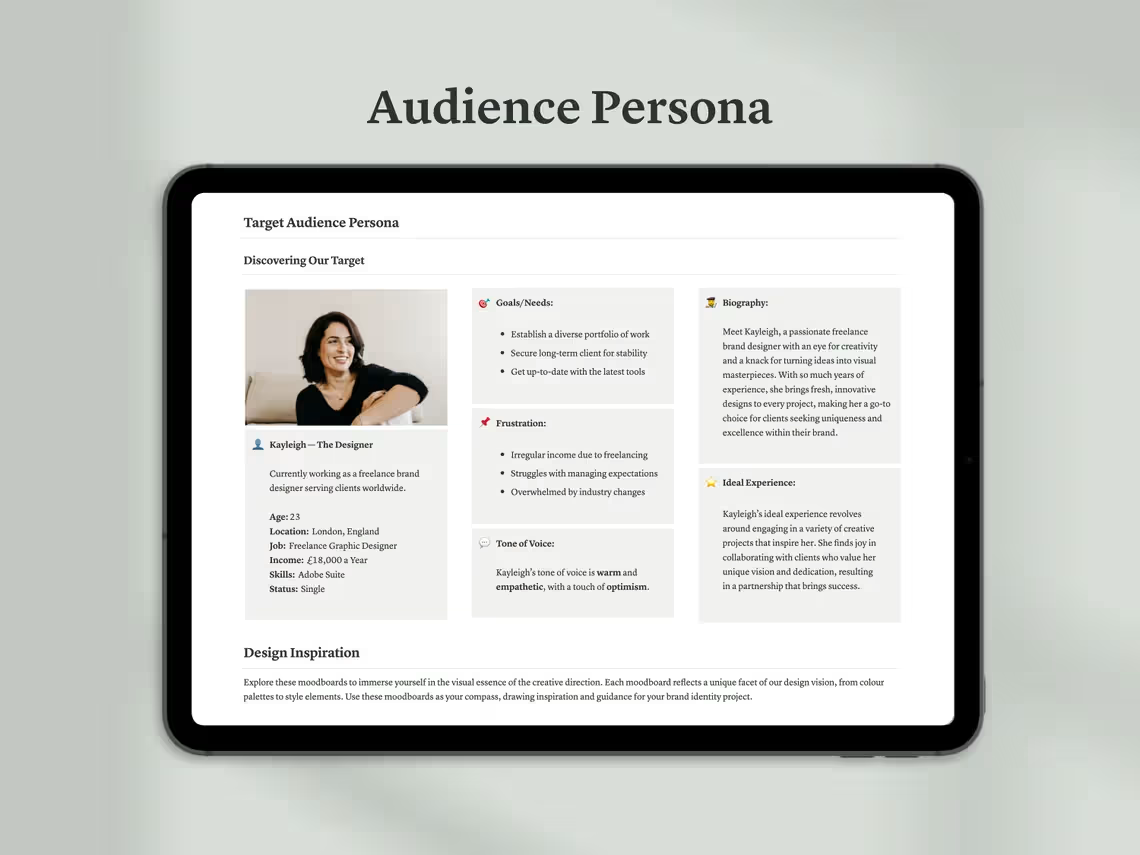
Great creative work doesn’t happen in a vacuum — it’s designed for a specific person, with specific needs, values, and desires. The Audience Persona section helps you define exactly who you’re creating for so every creative decision is rooted in deep audience understanding.
Inside you’ll find:
- Primary Audience Profile — Demographics, psychographics, lifestyle, and behavioral patterns of your core target audience
- Audience Pain Points — The specific problems, frustrations, and challenges your audience faces that this project addresses
- Audience Aspirations — What your audience wants to achieve, feel, or become — the emotional drivers behind their decisions
- Key Messages — The core messages your creative work needs to communicate to resonate deeply with your audience
- Audience Communication Style — How your audience speaks, what tone they respond to, and what language feels authentic to them
- Competitor Perception — How your audience currently perceives competing brands or solutions, and the gap your creative work fills
- Audience Journey — Map out the touchpoints and experiences your audience has with the brand before, during, and after the project
When you truly know your audience, every creative decision becomes easier, more intentional, and more effective.
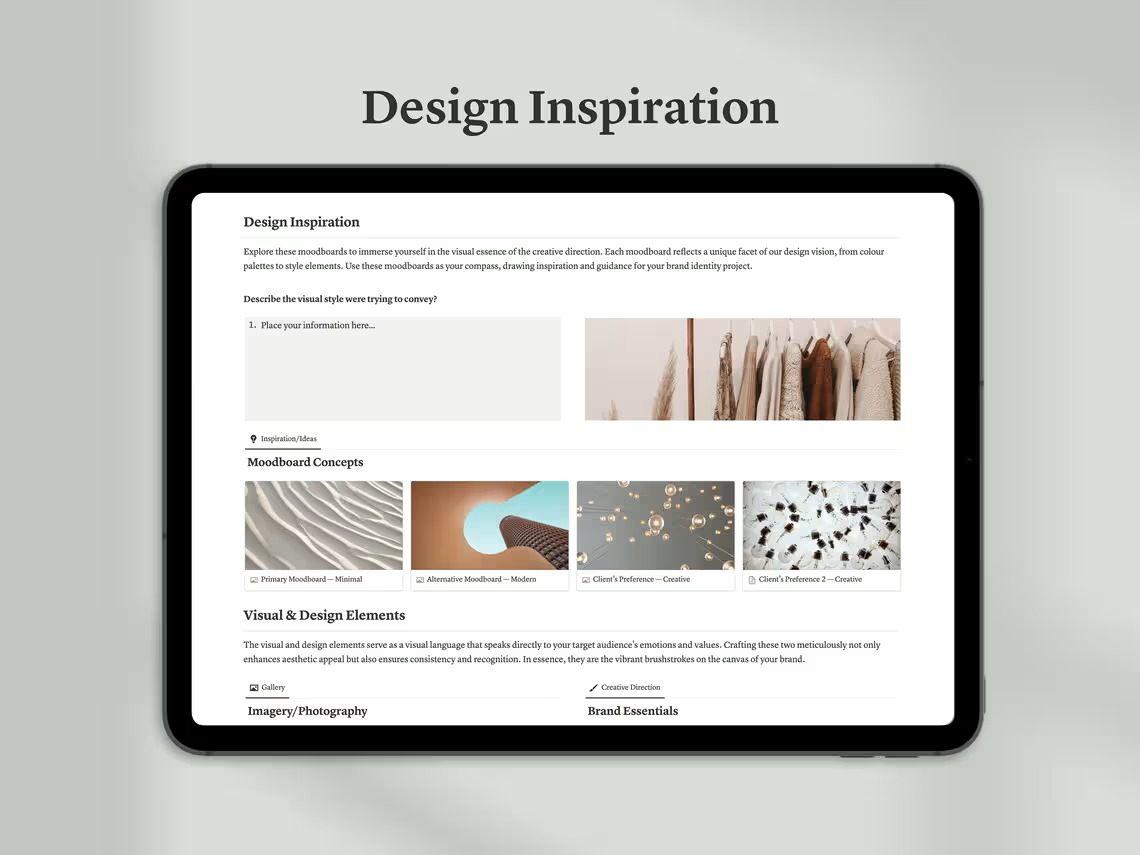
🎨 Section 4: Inspiration & Moodboards
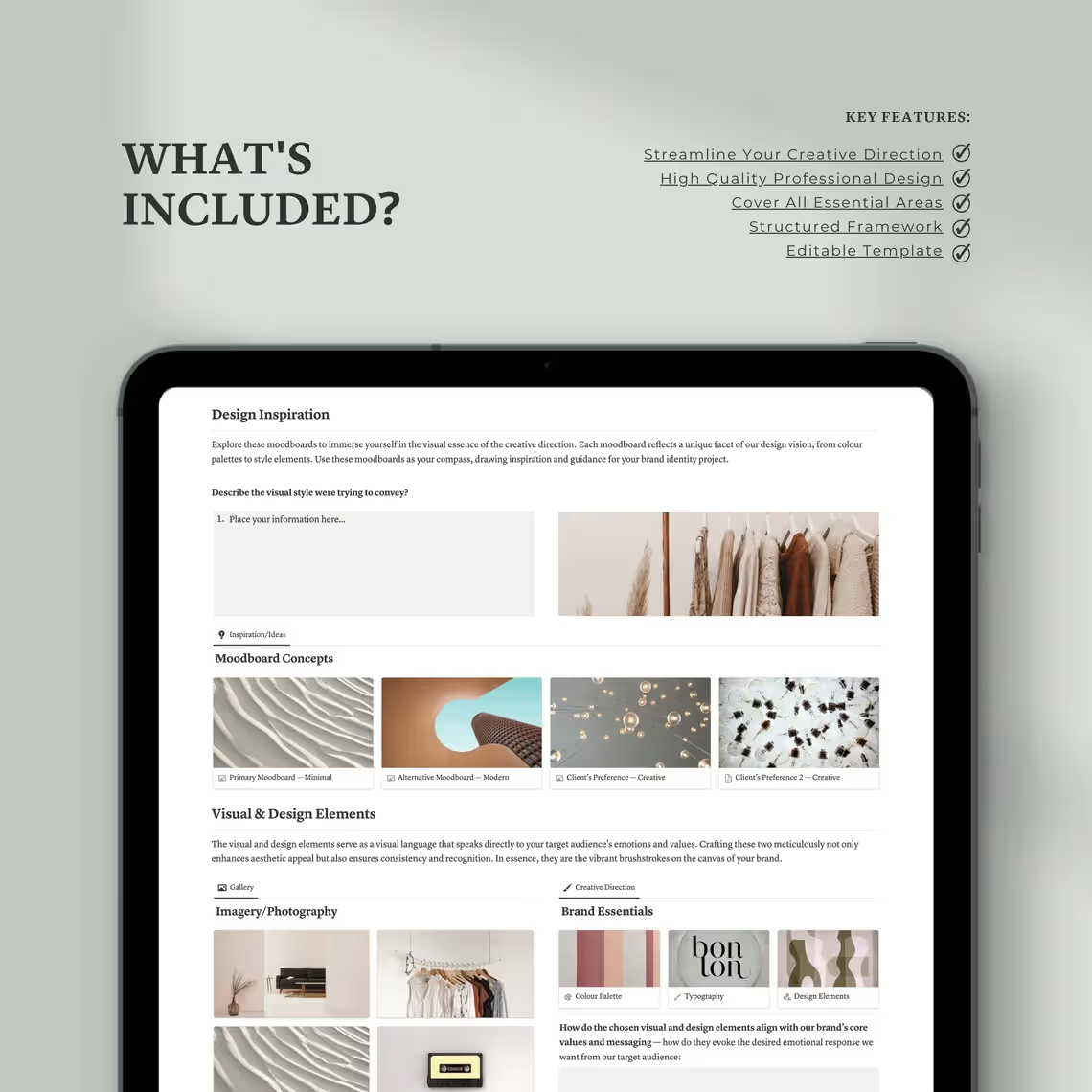
Before a single design gets created, the visual and emotional direction of the project needs to be established and aligned. The Inspiration & Moodboards section gives you a dedicated creative space to explore references, build visual mood, and get everyone on the same aesthetic page.
Inside you’ll find:
- Visual References — Curate and organize inspiring images, designs, campaigns, and creative work that capture the desired direction
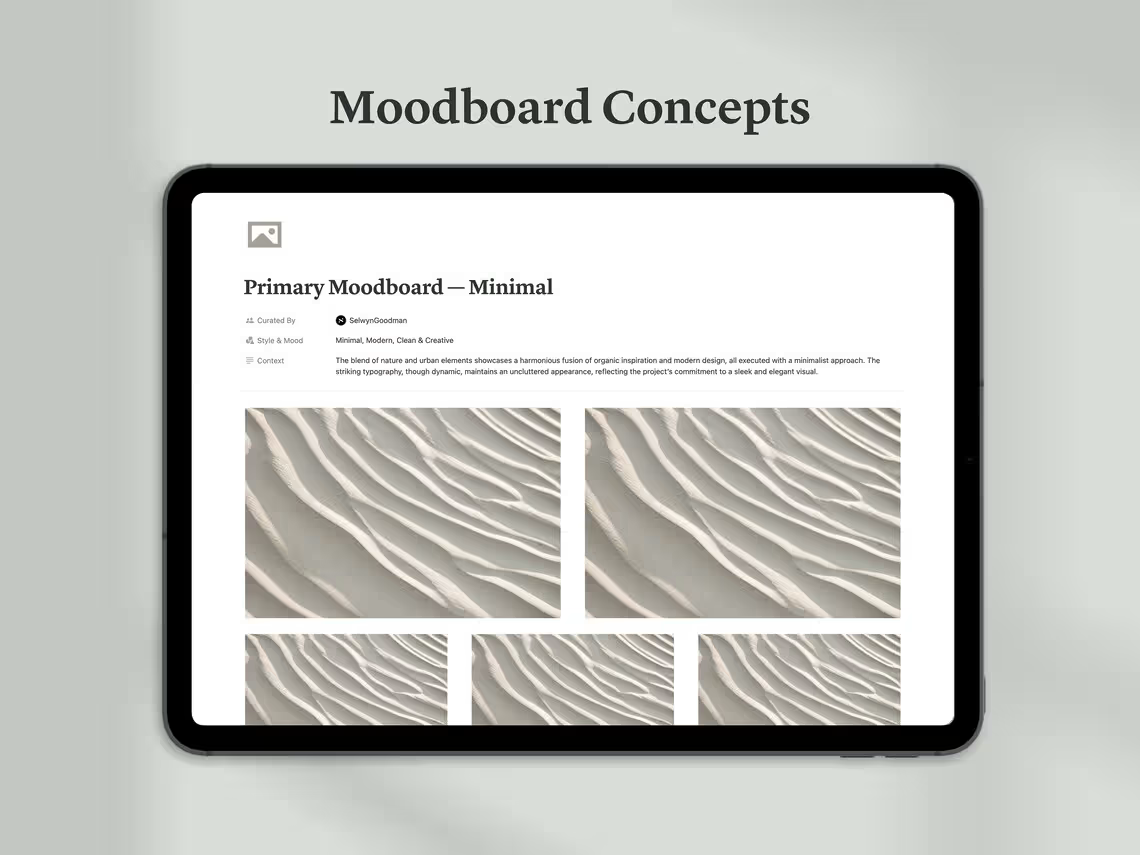
- Moodboard Builder — A structured space to assemble and present cohesive moodboards that communicate the creative vision
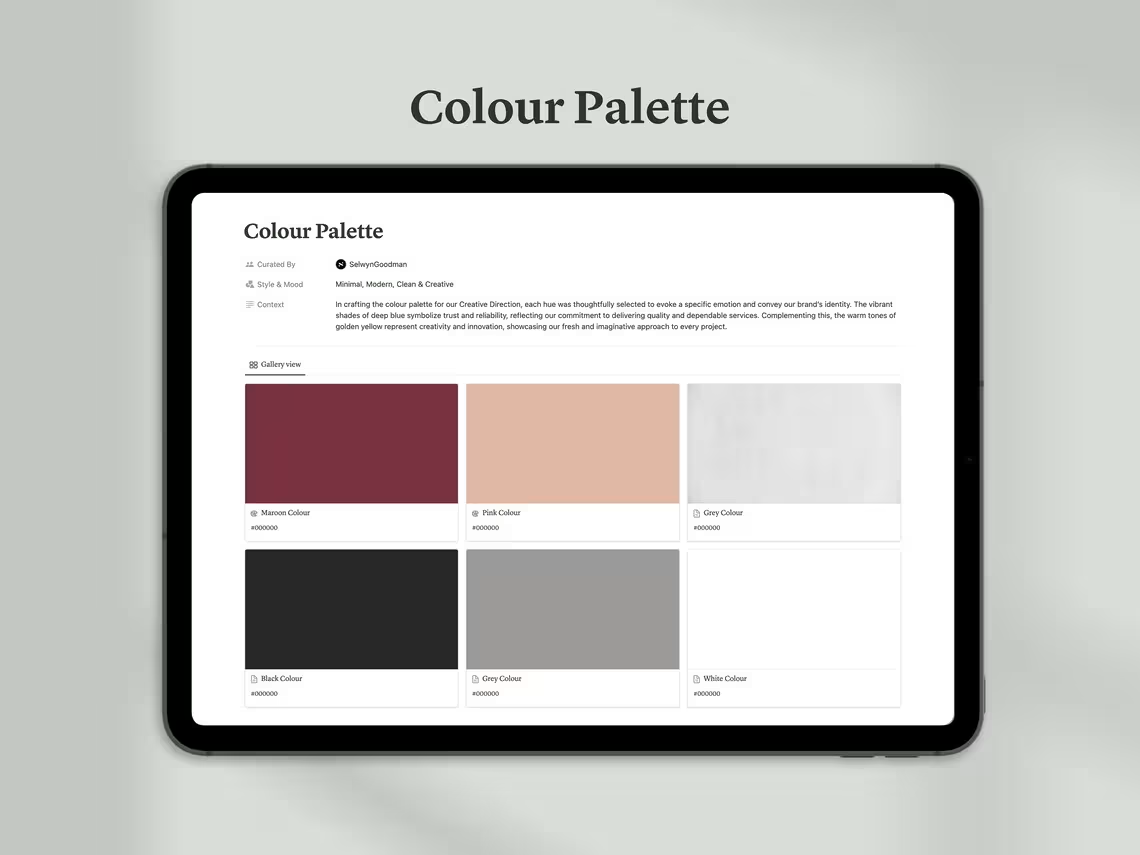
- Colour Mood Exploration — Document the emotional palette and colour direction being explored before committing to final brand colours
- Typography Direction — Gather typographic references that capture the desired tone, weight, and personality of the project
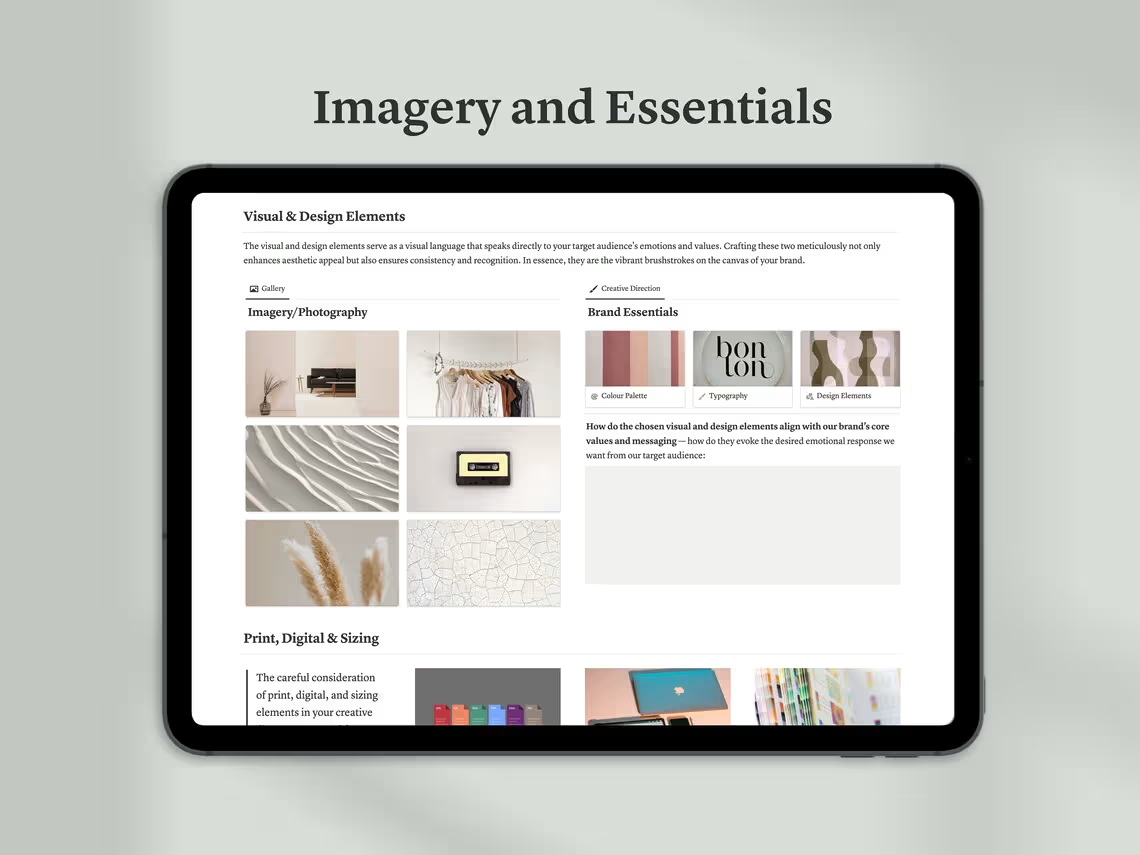
- Imagery Style References — Photography, illustration, and visual style references that define the project’s aesthetic language
- Competitor & Market References — Visual examples of what exists in the market to inform what to do — and what to deliberately avoid
- Client Inspiration Capture — Space to document references and inspiration shared directly by the client during briefing
- Direction Notes — Written observations and insights about the visual direction to accompany each moodboard element
Align your creative vision visually before a single pixel gets designed — and eliminate the most common source of client misalignment.
🧭 Section 5: Creative Direction
This is the heart of the entire template. The Creative Direction section is where your creative strategy comes to life — translating insights, audience understanding, and visual exploration into a clear, actionable creative vision that guides every design decision throughout the project.
Inside you’ll find:
- Creative Concept — The big idea at the center of the project. The single unifying thought that everything else builds from
- Creative Strategy — How the concept will be executed across different touchpoints and deliverables
- Visual Direction Statement — A written articulation of the visual approach — mood, aesthetic, style, and feeling
- Tone of Voice Direction — How the brand or project will communicate verbally — the language style, energy, and personality
- Design Principles — The core creative rules and standards that will govern all design decisions on this project
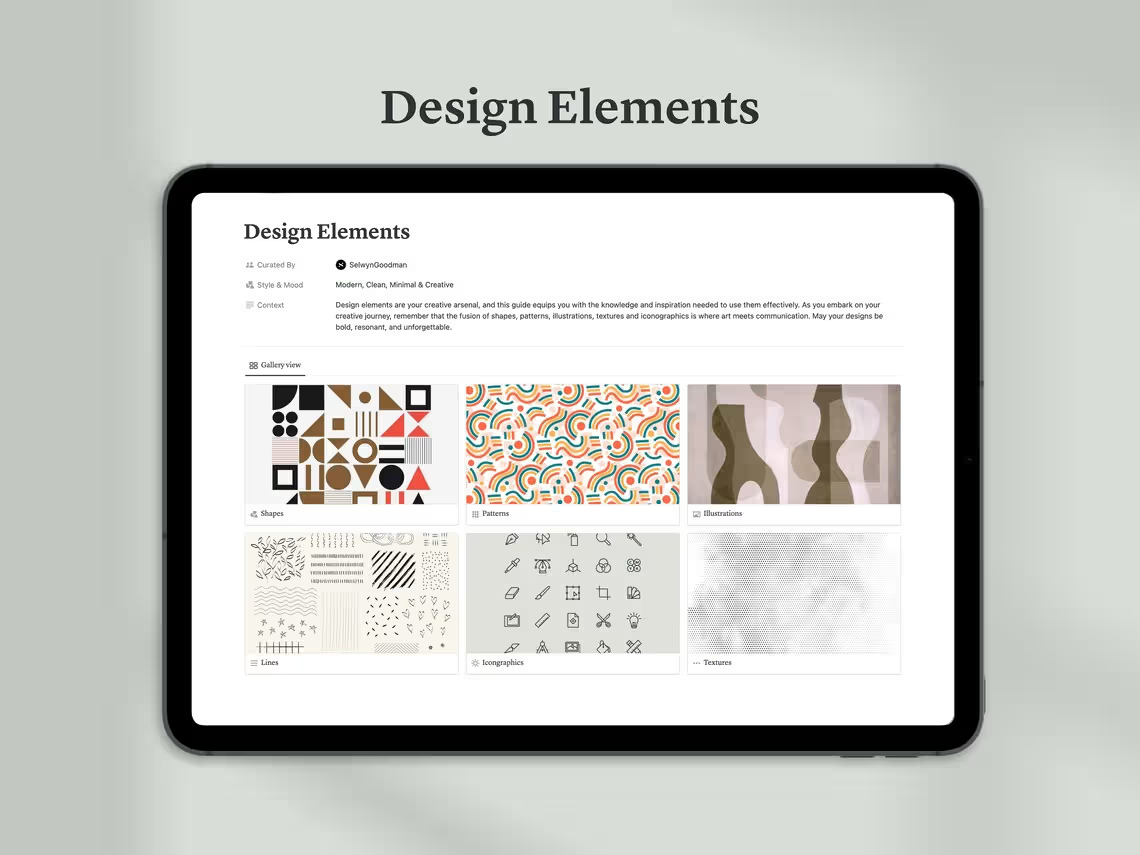
- Key Visual Elements — The specific design elements, motifs, and visual devices that will be used consistently throughout
- Creative Rationale — The strategic thinking behind every major creative decision — essential for client presentations and approvals
- Direction Approval Sign-Off — A structured space to document client or stakeholder approval of the creative direction before production begins
A clearly defined creative direction means every design decision has a purpose — and every client conversation has a foundation.
📐 Section 6: Project Guidelines
Consistency is the hallmark of great creative work. The Project Guidelines section documents the specific rules, standards, and requirements that govern how the project is executed — ensuring quality and coherence across every deliverable.
Inside you’ll find:
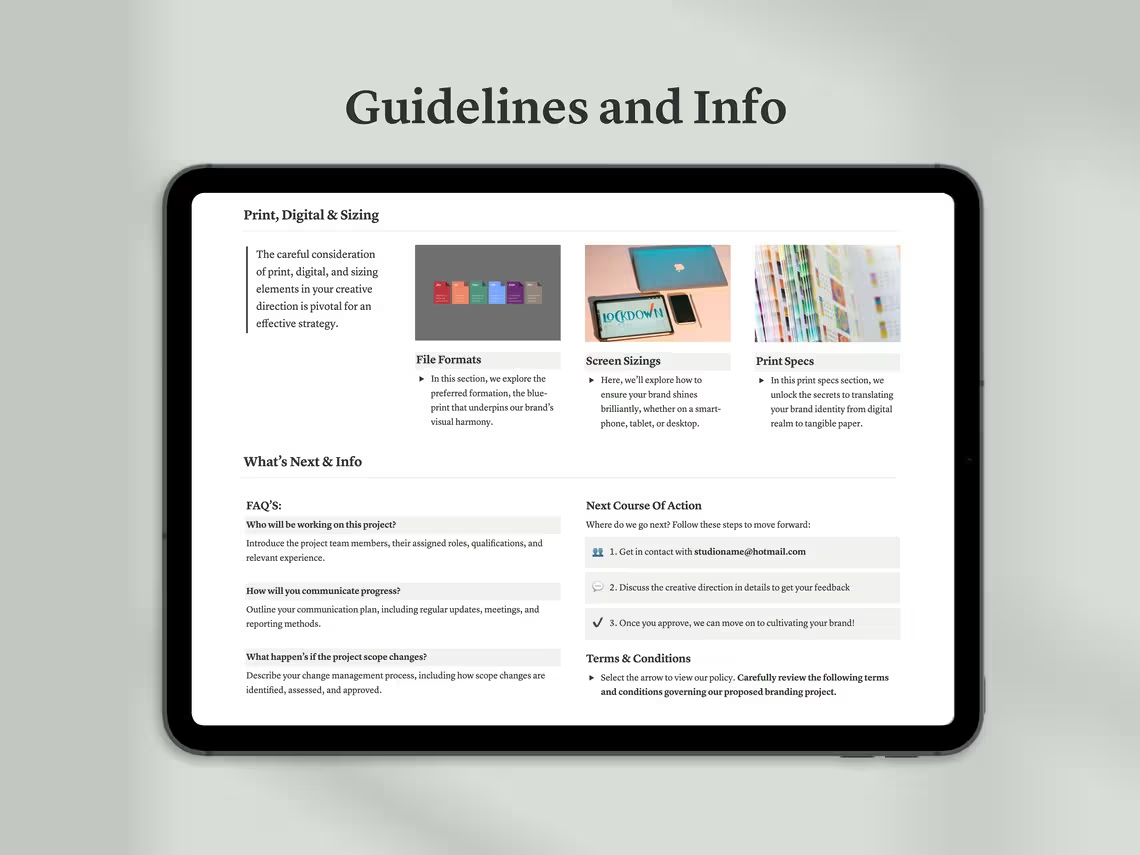
- Design Standards — The specific technical and aesthetic standards that all creative work must meet
- Brand Compliance Rules — Guidelines for ensuring all creative output aligns with existing brand standards and identity
- File & Asset Requirements — Specifications for file formats, resolution, color modes, and naming conventions
- Collaboration Guidelines — Rules for how the team shares files, provides feedback, and communicates during the project
- Revision Process — Clear guidelines for how revision requests should be submitted, handled, and tracked
- Quality Control Checklist — A structured checklist to review every deliverable against before it goes to the client
- Approval Workflow — The defined process for getting creative work reviewed and approved at each stage
- Do’s & Don’ts — Project-specific creative rules to maintain consistency and prevent common mistakes
Clear guidelines keep creative quality high and prevent the inconsistencies that undermine great work.
🚀 Section 7: What’s Next?
Every project ends — but the relationship shouldn’t. The What’s Next section gives you a structured framework for wrapping up the current project and setting up the next phase of the client relationship with professionalism and forward momentum.
Inside you’ll find:
- Next Phase Planning — Outline upcoming project phases, follow-on work, or future engagements already in discussion
- Action Items Post-Delivery — A clear list of everything that needs to happen after the final files are delivered
- Client Onboarding for Deliverables — Guidance on handing off assets, files, and documentation to the client in an organized way
- Future Recommendations — Strategic suggestions for where the brand or creative work should go next
- Retainer & Ongoing Support Options — Document any ongoing support, maintenance, or retainer arrangements
- Referral & Testimonial Request — A prompt to request a client testimonial or referral while satisfaction is at its peak
- Project Retrospective — Space to reflect on what went well, what could be improved, and what to do differently next time
End every project with intention — and plant the seeds for the next one.
⚖️ Section 8: Terms & Conditions
Protect your creative work, your time, and your business with a built-in legal framework. The Terms & Conditions section covers the essential legal aspects of the creative engagement — giving both you and your client clarity and protection throughout the project.
Inside you’ll find:
- Intellectual Property Rights — Define ownership of all creative work produced and when rights transfer to the client
- Usage & Licensing Terms — Specify how the delivered creative work may be used and any restrictions that apply
- Payment Terms — Clear payment schedules, late payment consequences, and deposit policies
- Revision & Change Policy — The number of revisions included and how out-of-scope changes are handled
- Confidentiality Agreement — Protection of sensitive client information and project details
- Cancellation & Kill Fee Policy — What happens if the project is cancelled and how compensation is handled
- Limitation of Liability — Protection against being held responsible for consequential damages beyond the project scope
- Dispute Resolution Process — A clear framework for resolving disagreements professionally and efficiently
Legal clarity from day one means fewer disputes, faster payments, and more protected creative work.
❓ Section 9: FAQs
The FAQs section answers the most common questions clients and collaborators have about the project process — reducing back-and-forth communication and building confidence in your professionalism from the very start.
Inside you’ll find:
- Answers to the most frequently asked questions about the creative process and project workflow
- Guidance on what clients can expect at each stage of the project
- Clarifications on revision processes, file formats, and delivery timelines
- Information on how feedback should be provided for maximum efficiency
- Answers to common questions about usage rights, ownership, and brand implementation
- Space to add your own custom FAQs tailored to your specific process and client base
A well-prepared FAQ section saves hours of repetitive communication and positions you as a true professional.
📦 WHAT YOU’LL RECEIVE
Upon purchase you will receive 1 PDF file containing a direct link to your Notion template. Open the link, click Duplicate in the top right corner of Notion, and the full template will be saved instantly to your workspace — ready to use on your very next project.
📌 Please Note: Some sections of this template have been intentionally adapted from the brand presentation template to maintain consistency and clarity throughout the branding process.
📌 This is a digital product. No physical item will be shipped. All sales are final.
🙋 FREQUENTLY ASKED QUESTIONS
Do I need a paid Notion account? No! This template is fully compatible with Notion’s free plan.
Is this suitable for solo designers or only agencies? Both. Whether you’re a solo creative or part of a larger team, this template scales to fit your workflow perfectly.
Can I share this with my team or clients? Yes. Notion allows you to share pages via link, making collaboration with team members and clients seamless.
Can I customize the template for different project types? Absolutely. The template is fully editable and flexible enough to adapt to branding, web design, campaign, illustration, or any other creative project.
Is this a one-time purchase? Yes. Pay once and use it across unlimited projects forever.
Your ideas are powerful. Give them the structure they deserve.
✨ Add to cart and start directing your creativity with confidence today.
Reviews