Creative Direction Template Kit | 20 Professional Presentation
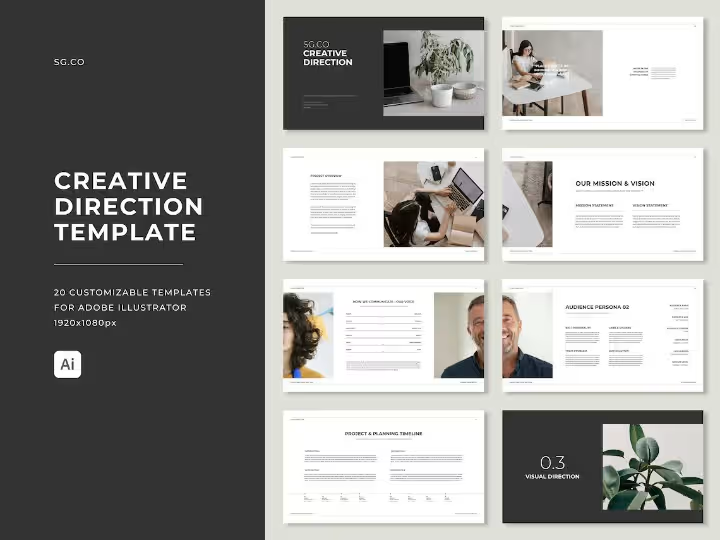
Elevate your client presentations with this Adobe Illustrator Creative Direction Template bundle. 20 fully brandable, professionally designed slides covering moodboards, personas, concepts, colour direction & more. Perfect for designers and agencies. Instant digital download.
Creative Direction Template | Adobe Illustrator | Brand Direction | Branding Kit
$23.00
Product Details
🎨 Do You Present a Creative Direction Guide to Your Clients? If Not — You Should Be
Here’s the difference between a good designer and a great one. A good designer delivers beautiful work. A great designer takes their client on a journey — showing them the strategy, the thinking, the visual direction, and the creative rationale behind every single decision before a final design is ever produced.
That journey is called a Creative Direction Guide. And it’s one of the most powerful tools you can add to your design process.
Not only does it position you as a premium, strategic creative professional — it dramatically reduces revision rounds, eliminates client confusion, and gets everyone aligned and excited about the direction before production begins.
The problem? Building a professional, visually stunning creative direction presentation from scratch takes hours. Until now.
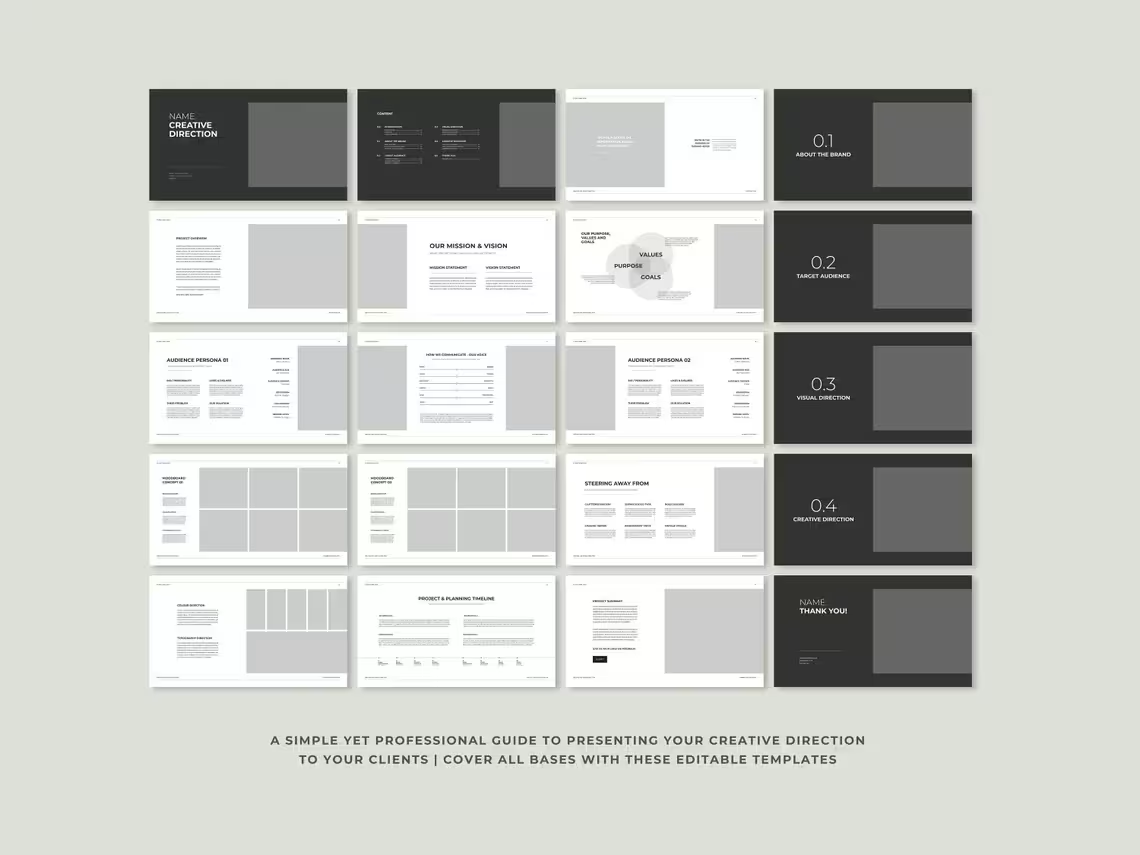
The Creative Direction Template for Adobe Illustrator gives you a complete bundle of 20 professionally designed, fully brandable presentation templates — everything you need to deliver a world-class creative direction guide to every single client, on every single project.
Just swap in your colors, add your content, drop in your images, and you’re done. In a fraction of the time it would take to build from scratch.
Differentiate yourself from the competition. Offer a higher-value service. Deliver better results. Starting today.
🌟 PERFECT FOR
- Freelance graphic designers and brand identity designers
- Branding and creative agencies
- Creative directors building premium client presentation systems
- Web designers presenting visual direction to clients
- Marketing professionals presenting campaign creative direction
- Design students building their first professional presentation toolkit
- Any creative professional who wants to deliver a higher-value, more strategic service to their clients
💡 WHY THIS TEMPLATE STANDS OUT
✅ 20 comprehensive templates — the most complete creative direction bundle available
✅ Adobe Illustrator native — built in the tool designers already use every day
✅ Both editable and pre-filled files — see the finished result before you start customizing
✅ Fully brandable — make it completely yours in minutes
✅ Elevates your service offering — position yourself as a premium, strategic creative professional
✅ Reduces revision rounds — align clients on direction before production begins
✅ Saves hours of design time — skip building from scratch and focus on the creative work
✅ Works for any industry — adaptable for branding, web design, marketing, and beyond
✅ One-time purchase, lifetime access — use it on every client project forever
🗂️ WHAT’S INCLUDED: 20 PROFESSIONAL TEMPLATES
🖼️ Template 1: Introduction
First impressions set the tone for everything that follows. The Introduction slide opens your creative direction presentation with impact — immediately signaling to the client that what they’re about to experience is a cut above anything they’ve seen from other designers.
Inside you’ll find:
- A professionally designed opening slide that commands attention from the very first moment
- Space for your agency or studio name, logo, and branding
- Client name and project title for a personalized, bespoke feel
- A compelling opening statement that frames the creative direction journey ahead
- Clean, sophisticated layout that establishes immediate credibility and professionalism
- Fully customizable colors, typography, and imagery to match your brand perfectly
Set the stage. Make the first impression count.
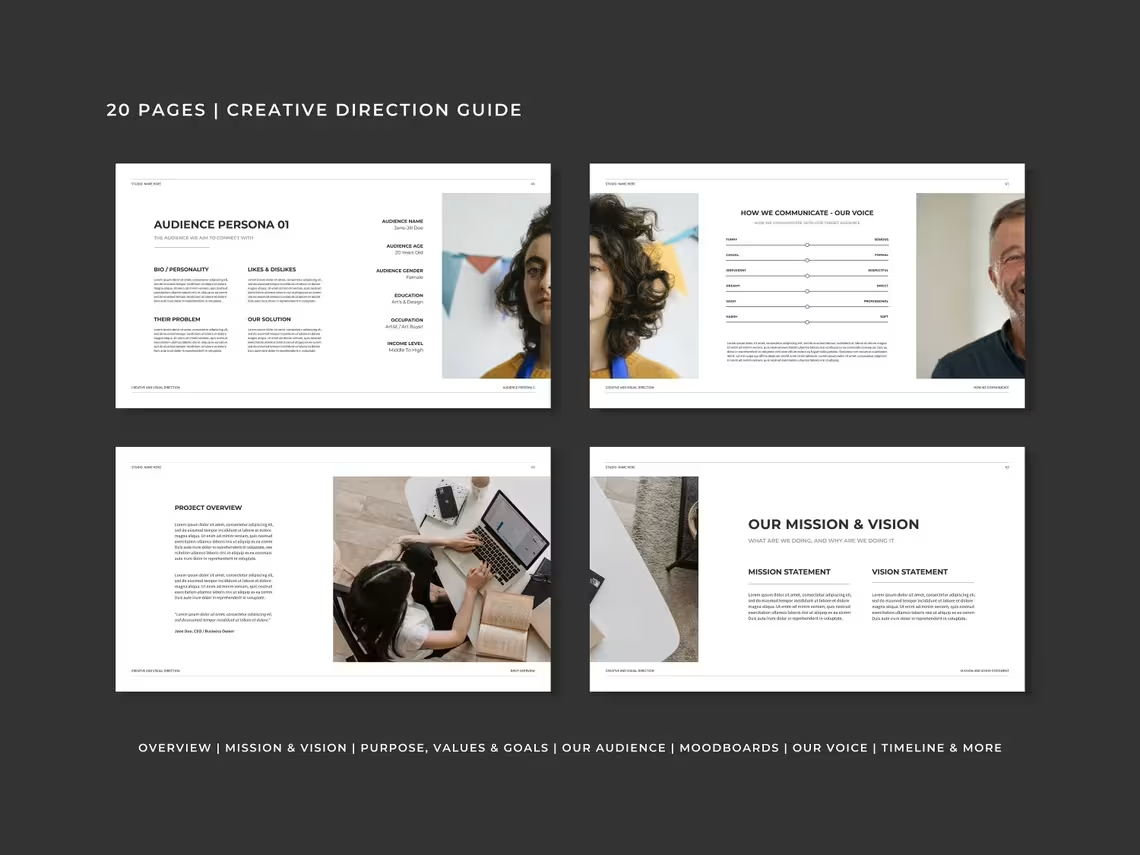
📋 Template 2: Project Overview
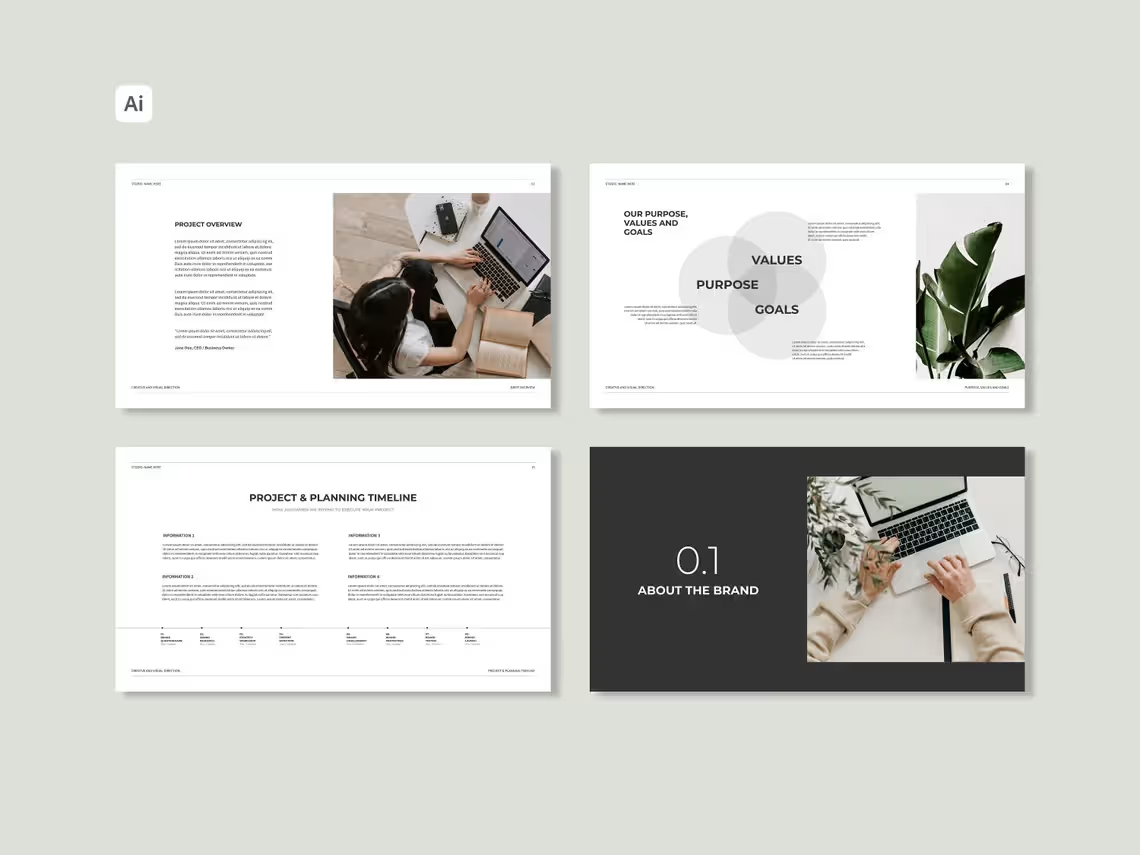
Before diving into the creative direction, clients need to see that you have completely understood their brief, their business, and their objectives. The Project Overview slide demonstrates strategic comprehension and builds immediate confidence in your approach.
Inside you’ll find:
- Project Summary — A concise, clear articulation of the project and what it’s designed to achieve
- Project Scope — Exactly what is covered in this creative direction and the broader project engagement
- Key Objectives — The specific goals the creative direction is designed to support and achieve
- Client Background — Brief context about the client’s business and their current brand situation
- Project Challenges — An honest acknowledgment of the key challenges this project needs to address
- Proposed Approach — A high-level overview of your creative strategy and why it’s the right solution
- Success Criteria — How success will be defined and measured at the end of the project
Show clients you listened. Show them you understand. Win their trust before the creative work even begins.
🎯 Template 3: Mission & Vision Statement
Great creative direction is always rooted in brand strategy. The Mission & Vision Statement slide anchors the entire creative presentation in the brand’s core purpose and long-term direction — ensuring every visual decision that follows is strategically justified.
Inside you’ll find:
- Mission Statement — A powerful articulation of what the brand exists to do and the value it creates for its audience
- Vision Statement — A compelling picture of where the brand is heading and the future it’s working to create
- Strategic Context — How the mission and vision directly inform the creative direction being presented
- Brand Purpose Statement — The deeper why behind the brand that elevates it beyond just a product or service
- Values Connection — How the brand’s core values connect to and strengthen the creative direction
- Clean, impactful typography-led layout that makes these foundational statements feel powerful and meaningful
Ground your creative decisions in strategy — and clients will trust your direction completely.
💎 Template 4: Goals, Purpose & Values
This slide goes deeper into the strategic foundation of the brand — capturing the specific goals the project needs to achieve and the core values that will shape every creative decision throughout the direction.
Inside you’ll find:
- Short-Term Project Goals — The immediate, specific objectives this creative direction is designed to achieve
- Long-Term Brand Goals — The bigger picture ambitions that the visual identity needs to support over time
- Brand Purpose — The fundamental reason the brand exists beyond commercial success
- Core Brand Values — The 3–5 non-negotiable principles that define how the brand shows up in the world
- Values in Action — How each core value translates into specific creative and visual decisions
- Goal-Direction Alignment — A clear connection between the strategic goals and the creative direction being recommended
- Visually compelling layout that presents strategic information in an engaging, easy-to-digest format
Strategy and creativity working together — the hallmark of truly exceptional brand work.
👥 Templates 5 & 6: Audience Persona 1 & 2
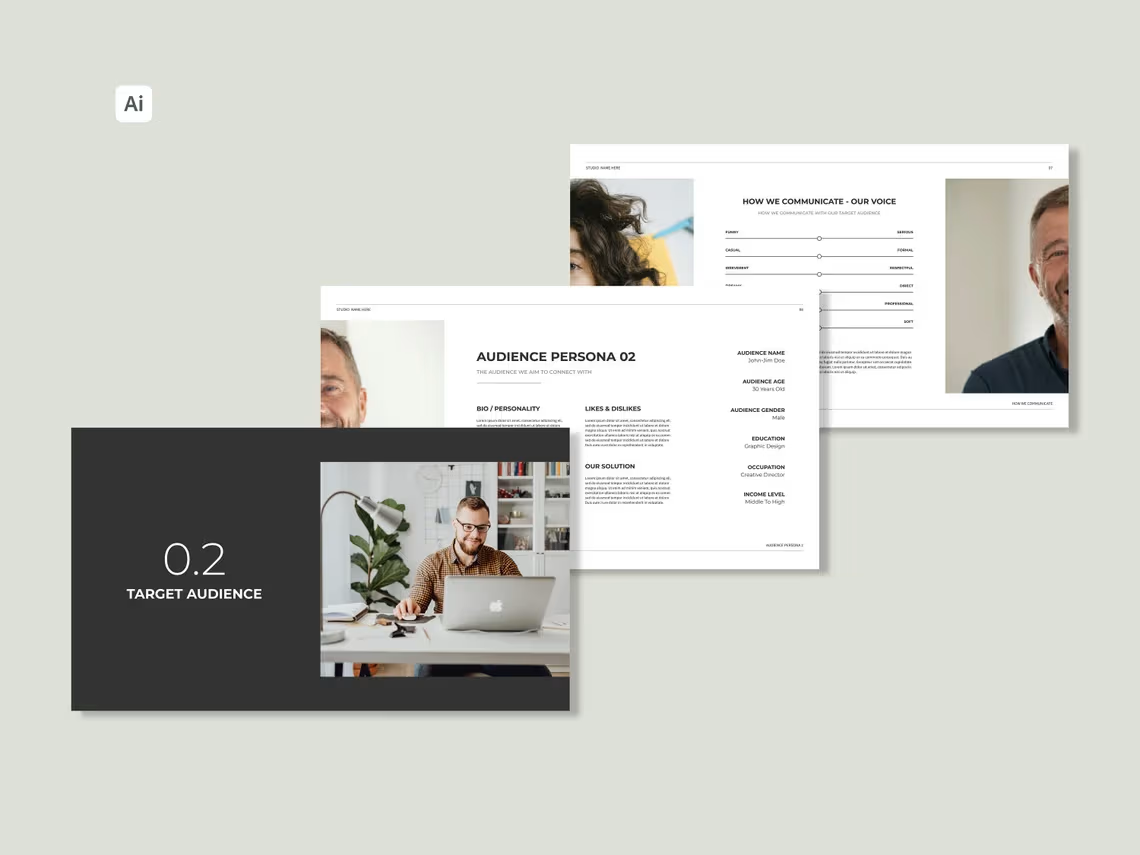
You can’t create a compelling visual direction without knowing exactly who you’re designing for. These two dedicated audience persona slides give you a structured, visually engaging framework for presenting detailed target audience profiles that bring the brand’s ideal customer to life.
Inside each persona template you’ll find:
- Persona Name & Photo — A relatable, humanized profile that makes the target audience feel real and tangible
- Demographics — Age, gender, location, income level, education, and occupation
- Psychographics — Values, interests, lifestyle, attitudes, and personality traits
- Goals & Aspirations — What this person is trying to achieve and the life they’re working toward
- Pain Points & Frustrations — The specific challenges and problems this person faces that the brand addresses
- Purchasing Behavior — How this person makes decisions, what influences them, and what they value in a brand
- Preferred Platforms & Media — Where this person spends their time online and offline
- Relationship to the Brand — How this person currently relates to or might discover the brand
Two persona slides means you can present both a primary and secondary target audience — giving the creative direction a complete and nuanced audience foundation.
🗣️ Template 7: How We Communicate (Voice)
Visual identity is only half the story. How a brand speaks is just as important as how it looks — and this slide defines the complete verbal personality of the brand, ensuring the creative direction covers both visual and verbal identity.
Inside you’ll find:
- Brand Voice Definition — The overarching personality and character of how the brand communicates
- Tone of Voice Spectrum — A visual representation of where the brand sits on key tone axes — formal vs casual, serious vs playful, bold vs gentle
- Voice Characteristics — 3–5 specific traits that define the brand’s communication style with descriptive examples
- Language Guidelines — Words and phrases that are on-brand versus words and phrases to actively avoid
- Communication Examples — Real example sentences that demonstrate the brand voice in action across different contexts
- Platform-Specific Tone Guidance — How the voice adapts across social media, email, website, and print communications
- Voice vs Competitors — How the brand’s voice deliberately differentiates from competitors in the same space
A brand that looks great and sounds great is unstoppable.
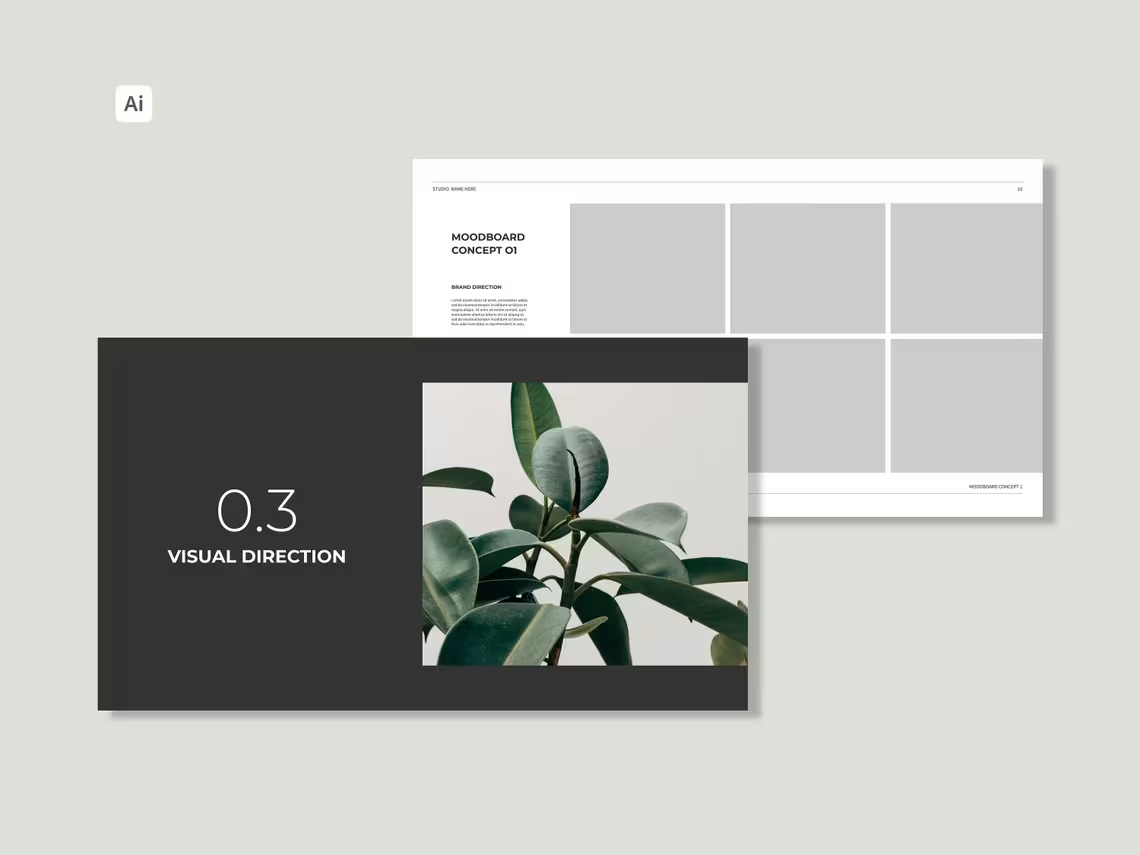
🎨 Template 8: Moodboard
The moodboard is often the most visually exciting part of any creative direction presentation — and this professionally designed template gives you the perfect canvas to showcase the aesthetic world of the brand in a way that is both beautiful and strategically purposeful.
Inside you’ll find:
- Large Format Image Grid — A carefully designed layout for presenting curated visual references with maximum impact
- Color Mood Strip — A visual representation of the colour palette mood being explored
- Typographic Direction References — Typography samples that capture the desired brand personality
- Imagery Style Showcase — Photography or illustration references that define the visual aesthetic
- Texture & Pattern References — Supporting visual elements that add depth and richness to the brand world
- Mood Descriptor Words — Carefully chosen adjectives that capture the feeling and energy of the direction
- Strategic Moodboard Rationale — Space to articulate why this specific aesthetic direction is right for the brand and audience
Turn visual inspiration into strategic direction — and watch clients fall in love with the vision.
💡 Templates 9 & 10: Concept 1 & 2
Presenting two distinct creative concepts gives clients choice, demonstrates the breadth of your creative thinking, and makes it easy for them to identify the direction that resonates most. These two dedicated concept slides give you a professional, structured framework for presenting each creative direction with clarity and conviction.
Inside each concept template you’ll find:
- Concept Name & Tagline — A memorable name and short description that captures the essence of the concept
- Concept Rationale — The strategic thinking and creative reasoning behind this specific direction
- Visual Direction Preview — Initial visual examples that bring the concept to life tangibly
- Color Palette Preview — The specific colors being proposed for this concept direction
- Typography Direction — The typefaces and typographic approach associated with this concept
- Imagery Style — The photography or illustration style that would accompany this creative direction
- Concept Strengths — Why this direction is a strong strategic and creative choice for this brand
- Target Audience Alignment — How this concept specifically resonates with and appeals to the defined target audience
Two concepts. Two compelling directions. Let the client choose their vision.
🚫 Template 11: Steering Away From
This often-overlooked slide is one of the most powerful in the entire presentation. By clearly defining what the brand is NOT — the visual styles, approaches, and directions that are deliberately being avoided — you demonstrate strategic clarity, prevent creative misalignment, and make the chosen direction feel even more intentional and right.
Inside you’ll find:
- Visual Styles to Avoid — Specific aesthetic approaches that would be wrong for this brand and why
- Competitor Visual Elements — Design choices used by competitors that need to be consciously differentiated from
- Off-Brand Color Directions — Colour approaches that would undermine the brand’s positioning or confuse the audience
- Typography Styles to Avoid — Font styles and typographic approaches that feel off-brand or dated
- Imagery Styles to Avoid — Photography or illustration approaches that don’t serve the brand’s visual identity
- Strategic Avoidance Rationale — Clear explanation of why each avoided direction is wrong for this specific brand
- Visual Do’s vs Don’ts Grid — A compelling side-by-side visual comparison of what to embrace and what to avoid
Knowing what not to do is just as powerful as knowing what to do.
🎨 Template 12: Colour & Typography Direction
Two of the most critical elements of any visual identity — presented with precision, professionalism, and strategic clarity. This slide gives clients a complete picture of the colour and typographic direction being recommended.
Inside you’ll find:
Colour Direction:
- Primary Colour Palette — The main brand colours with HEX codes, RGB values, and CMYK equivalents
- Secondary & Accent Colours — Supporting and highlight colours with full specifications
- Colour Psychology Notes — The emotional associations and strategic reasoning behind each colour choice
- Colour Application Examples — Visual demonstrations of how the colours work together in real-world brand applications
- Colour Mood & Energy — A description of the overall feeling and energy the palette creates
Typography Direction:
- Primary Typeface — The recommended main brand font with weight variations and use case guidance
- Secondary Typeface — The supporting font for body copy and secondary communications
- Type Hierarchy Examples — Visual demonstration of heading and body text relationships
- Font Pairing Rationale — Why these specific typefaces work together and serve the brand
- Typography Mood — How the typographic choices reinforce the overall brand personality and direction
Visual identity decisions presented with the strategic depth they deserve.
📅 Template 13: Project & Planning Timeline
A professional timeline slide demonstrates that you have thought the project through completely — and gives clients a clear, visual picture of what to expect and when throughout the entire engagement.
Inside you’ll find:
- Project Phase Overview — A visual breakdown of each major phase of the project from kickoff to delivery
- Key Milestone Markers — Critical checkpoints highlighted clearly on the timeline
- Phase Descriptions — Brief descriptions of what happens during each phase of the project
- Client Action Points — Clear markers showing when client input, feedback, or approval is required
- Delivery Dates — Confirmed or proposed dates for each key deliverable
- Review & Revision Windows — Clearly defined periods for client feedback and creative revisions
- Total Project Duration — A clear visual representation of the complete project timeline from start to finish
A clear timeline builds confidence, sets expectations, and keeps everyone accountable.
📊 Template 14: Project Summary
The closing slide of your creative direction presentation — a powerful, professional summary that ties everything together and sends clients away feeling clear, excited, and confident about the direction ahead.
Inside you’ll find:
- Direction Summary — A concise recap of the recommended creative direction and the key decisions made
- Strategic Alignment Confirmation — A reminder of how the creative direction connects back to the brand’s goals, audience, and values
- Key Creative Decisions — A summary of the most important visual and strategic choices presented
- Next Steps — Clear, actionable steps for moving from creative direction approval into production
- Call to Action — A confident invitation for the client to approve the direction and move forward
- Contact Information — Your details for any follow-up questions or discussions
- Proposal Expiry Date — If applicable, a professional reminder of when the proposal expires
End with clarity, confidence, and momentum.
💬 Template 15: Feedback Button
One of the most unique and practical features of this template bundle. The built-in Feedback slide gives clients a clear, structured way to provide their response to the creative direction — making the feedback process as smooth and professional as the presentation itself.
Inside you’ll find:
- A clean, professionally designed feedback interface
- Clear options for clients to indicate approval, request revisions, or provide specific comments
- Structured feedback prompts that guide clients to give useful, actionable responses
- Space for written feedback and specific notes on individual sections
- A professional, frictionless way to collect client sign-off on the creative direction
Make feedback easy — and watch your approval rate climb.
⚙️ TECHNICAL FEATURES
- 20 professional templates — a complete creative direction presentation system
- 1920 x 1080px — widescreen format perfect for screen presentations and digital sharing
- Adobe Illustrator compatible — fully editable in the industry’s leading vector design software
- Editable files included — customize every element to match your brand and project
- Pre-filled example files included — see exactly how the templates look when fully populated
- Fully brandable — swap colors, fonts, logos, images, and copy in minutes
- Vector-based design — infinitely scalable for any screen size or resolution
📦 WHAT YOU’LL RECEIVE
Upon purchase you will receive 1 PDF file containing download links to your complete template bundle including all 20 Adobe Illustrator template files in both editable and pre-filled versions.
📌 Requirements: Adobe Illustrator is required to edit these templates.
📌 This is a digital product. No physical item will be shipped. All sales are final.
🙋 FREQUENTLY ASKED QUESTIONS
Do I need Adobe Illustrator to use these templates? Yes. These templates are designed for and require Adobe Illustrator to edit. They are not compatible with free alternatives like Canva or Google Slides.
Can I use these for client projects? Absolutely. These templates are designed specifically to be used as client-facing creative direction presentations on professional projects.
Can I fully rebrand the templates with my own branding? Yes — swap in your logo, brand colors, fonts, and content to make every presentation feel completely bespoke and on-brand.
How many times can I use the templates? Unlimited times across unlimited client projects — forever.
Are pre-filled example files included? Yes! Both blank editable files and pre-filled example files are included so you can see exactly how the templates look when fully populated.
Is this a one-time purchase? Yes. Pay once and use it forever.
The designers who win the best clients aren’t just the most talented — they’re the most professional. Start presenting like a pro.
✨ Add to cart and elevate your creative direction presentations today.
Related products
-
Sale!
Notion Creative Direction Template | Complete Creative Project Planner
Original price was: $14.00.$7.00Current price is: $7.00. -
Sale!
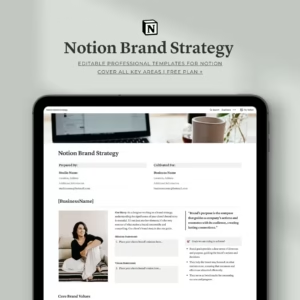
Notion Brand Strategy Template | Complete Brand Building Guide
Original price was: $14.00.$9.00Current price is: $9.00. -
Sale!
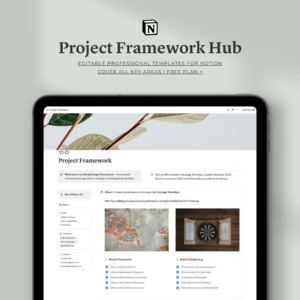
Notion Project Framework Hub | Complete Branding Workflow
Original price was: $10.00.$7.00Current price is: $7.00. -
Sale!
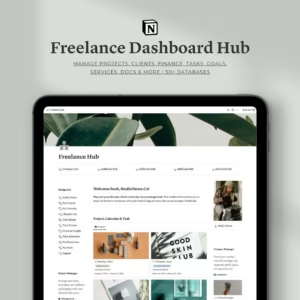
Notion Freelance Dashboard Hub | All-in-One Business Management Template
Original price was: $23.00.$9.00Current price is: $9.00. -
Sale!
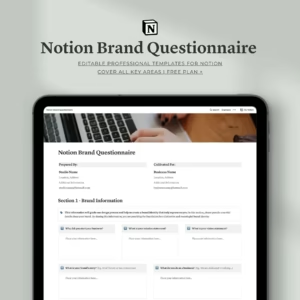
Notion Brand Questionnaire Template | Complete Brand Discovery Tools
Original price was: $10.00.$6.00Current price is: $6.00. -
Sale!
Notion Brand Guidelines Template | Complete Brand Identity Guide
Original price was: $14.00.$7.00Current price is: $7.00. -
Sale!
The Ultimate Notion Brand Presentation Template — Build. Present. Impress.
Original price was: $14.00.$7.00Current price is: $7.00. -
Sale!
Notion Design Contract Template For Professionals
Original price was: $10.00.$5.00Current price is: $5.00. -
Notion Project Proposal Template For Professional
$14.00
Reviews